
Wednesday, March 16, 2016

R for Replay Code

using UnityEngine.SceneManagement;

//Note: This is in Update

if (Input.GetKeyDown (KeyCode.R)) {  
            SceneManager.LoadScene (1);  
  }

Exporting Your Voice/Dialog From Garageband to MP3

  •  Record your audio in Garageband 
  • Plug in headsets and click "Yes" when asked if you want to use C-Media USB Audio Device 
  • Choose vocals you want to use
  • Make sure you select C-Media USB in the Input


  • Record your vocals by clicking red circle at bottom
  •  Record multiple tracks if needed.
  • Click Share at the top of the screen
  • Select "Save to Disk"
  • Change Format to MP3
  • Name sound and save it to Desktop or Music Folder
  •  Add your audio in Flash using File>Import to Library
  • Make sure all of your sounds are on different layers.


Monday, March 14, 2016

Roll A Ball Modifications Suggestions

Improve control of Player
Add New Background
New Objective 
New Level
Re-Design (platforms, maze, ramp, elevator, rail)
Timer
Enemy
Obstacles
Health of Player
New Story
Main Menu
New Challenges
Replay 
Transparent Border with collider to end game (ontriggerenter) 
Power Ups
Variables with Player Controller

Thursday, March 10, 2016

Candid Pictures To Turn In

Turn in nine pictures. 3 pictures from each candid shooting day.
Turn these in on a 3*3 contact sheet called "Candid Adjusted."
Turn in your best Candid Photo as a .jpeg called "Best Candid."

Photo 2: Spring Quote Assignment


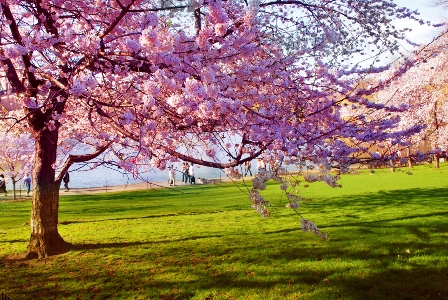
Spring Quote Assignment

http://decideforyourself.files.wordpress.com/2008/10/spring2.jpg

"In the spring, at the end of the day, you should smell like dirt." 
-- Margaret Atwood
Spring is nature's way of saying, "Let's party!" ~Robin Williams
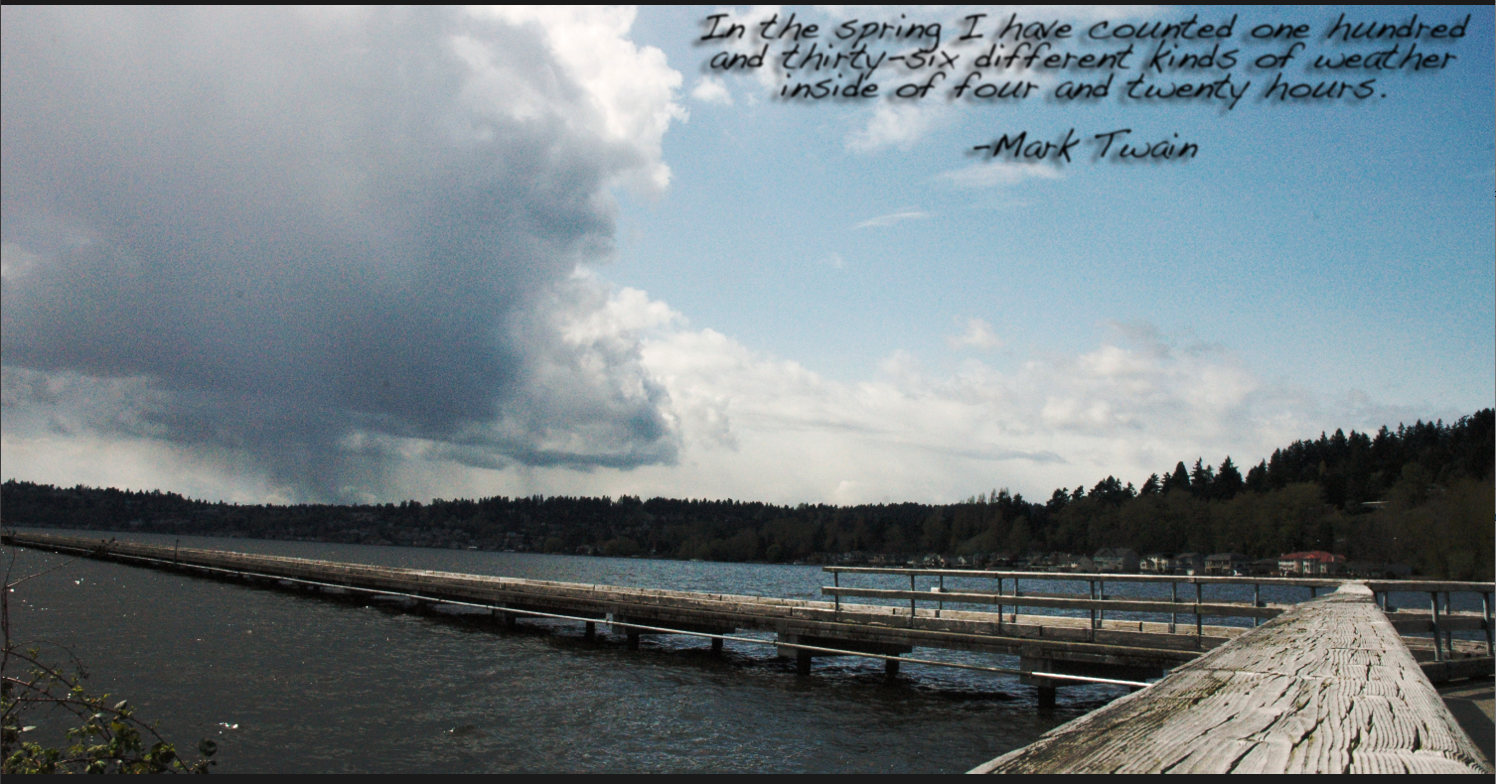
In the spring I have counted one hundred and thirty-six different kinds of weather inside of four and twenty hours. ~Mark Twain
I sing of brooks, of blossoms, birds, and bowers: Of April, May, of June, and July flowers. I sing of Maypoles, Hock-carts, wassails, wakes, Of bridegrooms, brides, and of their bridal cakes. 
Robert Herrick
You will shoot two contact sheets based around two quotes about the spring season. In other words, pick your quotes and shoot pictures for those quotes.
I will list a few websites where you can find some quotes about spring, or you can find your own.
  • First, pick your two quotes
  • You will have homework due in a week on March 17.
  • You will have an in-class shooting day on
 
Contact sheets are due at the end of each of these days.
Next Monday you will have class time to adjust these pictures.
Many spring quotes are directly about the seasons and nature. However, you will find many quotes that also deal with events or sports that take place during spring time like weddings, music festivals, baseball, and golf etc. You also may find quotes that talk about spring cleaning, BBQ's, family gatherings, Easter, and Mother's Day etc.
Spring Quotes
You may also use a quote from spring poems.
Don't forget, you can also try to find your own quotations as well.
spring-3.jpg Happy Spring! image by sonmade44
 

Wednesday, March 09, 2016

SCNN Commercial Animation

Your next assignment will be a 15-25 (300+ frame ) SCNN commercial for anything school related. This could include a dance, a game, a club, an event, a sport, or anything else.

Content must be related to the specific school related item.
All animation should look sharp and detailed.
Use school colors where appropriate.

This must be entertaining in some way. Funny is always a good place to start.


Your animation needs to include:


  • Music AND sound effects throughout
  • Keyframe animation
  • Shape tween
  • Two Motion Tween
  • Two Movie Clips
  • Text that says either "SCNN" or the information for the school club, group, or event
  • Dialogue created by you using Quicktime, Garageband, or other programs (have fun making voices and sound effects)
Most of these projects will be between 300 and 400 frames each at 12 frames per second.

First step: Commercial Treatment

You will write a detailed commercial treatment and email it to the coach or advisor of your club/activity/sport etc. You will ask for their permission to make a commercial and also ask for
suggestions. You will also send me a copy (CC) of this email at trent.mitchell@shorelineschools.org


List of advisors:
http://learn.shorelineschools.org/shorecrest/sasb/clubs-and-student-groups


Treatment questions you must answer in COMPLETE sentences.

  1. What group or activity have you selected as your subject?
  2. Why did you select this group and why do you think you can make an interesting commercial for this group?
  3. What is your original concept? How are you going to SELL your subject?
  4. What will your tag line be? It needs to be something catchy and memorable.
  5. What kind of music will you use in the background?
  6. Please email the advisor or coach of your commercial subject ask permission to create a commercial using your concept. Include me on this email.

Thursday, February 25, 2016

Candid Photography

Read these tips:


http://digital-photography-school.com/11-tips-for-better-candid-photography
http://digital-photography-school.com/make-yourself-invisible-5-tips-for-successful-candid-photography

Your assignment over the next week is  to shoot three contact sheets full of candid photos between now and Tuesday March 8 . 
One of these contact sheets will be shot during class on Tuesday March 1st away from Shorecrest. You will check out of class at 10:00 am and return at 11:55.
The next shooting day will Thursday the 3rd and you will shoot candid shots of teachers and students at Shorecrest
The next contact sheet will be homework done at multiple locations of your choice.

Candid CS1 due Tuesday, March 1.
SC Candid CS2 due Thursday, March 3.
Candid CS3 due Tuesday, March 8. 
For each picture you should emphasize a specific composition element other than rule of thirds.
If you need a refresher on composition elements they can be reviewed at:

http://cybercollege.com/tvp023.htm
http://cybercollege.com/tvp024.htm
http://cybercollege.com/tvp025.htm

These include, but are not limited to: frame within a frame, leading lines, color contrast, movement and meaning, multiple levels of meaning, leading the subject, and using light to highlight or enhance a certain section of your picture. Move the camera around. Shoot high and low angles.

For this assignment I want you to get as far away from Shorecrest as possible. Downtown Seattle, Capital Hill, Fremont, and the U District are all great places to shoot "random" people, but Lake Forest Park could be just as effective. Make sure you ask permission to take pictures (especially if you are taking pictures of kids).


Unintentional out-of-focus pictures will not be accepted. If you would like to try a some selective focus shots please tell me before you go out shooting and I can lend you a long lens.

Getty Images Candid Pics
Image result for candid photos street life Image result for candid photos seattleImage result for candid photos seattle
Image result for candid photos excellentImage result for candid photos excellent teachersImage result for candid photos street life

Friday, February 12, 2016

Flash Animation Tutorials

Flash Animation Tutorials

https://www.youtube.com/watch?v=yQ4nPgud8ok

https://www.youtube.com/watch?v=Pks2R7lgufg

https://www.youtube.com/watch?v=McaapLH8DvM

Shape Tween Tutorial: https://www.youtube.com/watch?v=KE5UUqvn3C8
Movie Clip Tutorial: https://www.youtube.com/watch?v=EaXi0hQHx04
How to add sound: https://www.youtube.com/watch?v=bJnFBnkhSaM
Animate background to simulate movement: https://www.youtube.com/watch?v=o1SzK9EZ5UM

First Flash Animation Assignment


  • 1920*1080
  • 12 FPS
  • 5+ layers
  •   60+ frames
  •   15+ keyframes 
  • Detailed characters
  •   foreground, mid-ground, and background
  •   both shape and motion tweens
  •  2 Detailed Movie Clips
  • At least three Sound Effects 
  • All items on separate layers 
You will work on this assignment Monday, Wednesday, and Friday after break.

How to Download Sound Effects 2016 Folder


  • Click on your desktop background.
  • Go
  • Connect To Server
  • Type Vidstore
  • name:scvideo
  • password:Outback23
  • SC Video Classes
  • Public Folder
  • Search by name and find 'Sound Effects 2016' folder
  • option-click on the folder and drag to desktop
  • drag folder from desktop into iTunes

Thursday, February 11, 2016

Tourism Magazine Assignment


You work for a tourism magazine. 
 Your job as the Photojournalist for the Tourism Magazine is to take pictures that will encourage people to visit or move to a specific town or neighborhood. In other words, you need to take pictures of everything this town or neighborhood has to offer.
  • Take (literally) a few hundred pictures in the location of your choice. 
  •  Please try to get to at least five or six locations within your location.
  • Shoot landscape, portrait, pattern, shadow, action, macro, candid, and abstract shots.
  • Try to shoot as many of the Elements of Design as possible:unity, texture, line, form, contrast, color, texture, balance, rhythm, positive/negative space.
  • Don't forget about all the parks, trails, streams, nightlife, coffee shops, and even some of the stores.
  • Any city or town is eligible except Shoreline or Lake Forest Park.
 

At the end of the assignment you will turn in eight high quality images. You will name each image using the Element of Design that fits best.

 To receive an A you must go to a variety of locations, shoot a variety of interesting subjects, use a variety of the Elements and Principles of Design.


Tuesday, February 09, 2016

How To Connect To Vidstore Server


Name all projects using naming convention:
period number_last name first initial_name of assignment

  • Click on your desktop background.
  • Go
  • Connect To Server
  • Type Vidstore
  • name:scvideo
  • password:Outback23
  • SC Video Classes
  • Drop the file into the proper period folder

How to create a Contact Sheet in Adobe Bridge


Put your SD card into the back of the computer or plug in your camera using a USB chord.
1. Import your pictures using Image Capture
2. Create a folder on your computer.
3. Drag the pictures you want to use in this Contact Sheet  into this new folder.
4. Open Adobe Bridge CS6
5. On left hand side find your folder and select it.
6. Select the files down below so that they show up in the Preview section. You can select the pictures via lasso, shift key, or command key.
7. On the right hand side select Output. Make sure .pdf is selected. Columns and rows will vary.
  • 6 pictures means columns and rows=2*3
  • 12 pictures means columns and rows=3*4
  • 20 pictures means columns and rows 4*5
  • 24 pictures means columns and rows=4*6


 8. Click save in the lower right hand corner. Save to your pictures folder.
9. Upload .pdf Contact Sheet to the Vidstore Server>Classes>Period 1 or 5

Photo 2 Composition Work

Please shoot the following Camera Composition and elements of Design during class today.
  • Balance
  • Harmony
  • Pattern
  • Contrast
  • Proportion
  • Texture

I suggest taking at least 50 pictures (maybe more). You will turn in a Contact Sheet when you return. You will name each picture with the corresponding Composition or Element of Design.
You may shoot as far north as Hamlin and as far south as the South Woods.
Please use rule of thirds and fill the frame as often as you can.

Friday, February 05, 2016

Classroom Daily Rules and Expectations

1.             Be on time to class.
2.             Show up ready for the job. Have paper, pencils, pens, cameras, USB Cables & any related material you need to do class assignments everyday.
3.             Food & liquids are not permitted in the computer labs.
4.             You will rarely need ipads in this class.  Only take them out when I give permission. Do not test me on this.
5.             Clean up your station area before you leave.
6.             Return equipment to its proper place.
7.             Keep cell phones in your bag or on your person.
8.             Use headphones to monitor sound. Bring headphones to class everyday.
9.             Games on the computer are not except in Game Design Class.

10.          Listen respectfully. You will be given the same respect when you speak.

Photo 2 Review

Please take notes on anything that you cannot identify from memory.

http://www.trentsizemore.com/principles-of-design/principles/

http://photoinf.com/General/Robert_Berdan/Composition_and_the_Elements_of_Visual_Design.htm

(Take quizzes at the end of each section below)
http://cybercollege.com/tvp023.htm
Start reading at "Strive for Feeling of Unity"
http://cybercollege.com/tvp024.htm

First Animation Assignment

I would like you to visit YouTube and other websites and watch a variety of flash animation.

When you are done watching the animation (spend about 30-35 minutes or so on this) I would like you to tell me what your three favorite flash movies were and why you liked them.
Did you like the story line? Animation style? Sound effects? Music?

Please answer the questions above in complete sentences in the comments section below.
Also, please leave a link to the animation after each description.
Don't forget to put your name at the beginning of each animation description so I know you did your work.
Please use headphones.

An example: https://www.youtube.com/watch?v=npTC6b5-yvM

Mr. Mitchell

Wednesday, January 13, 2016

Photomerge Assignment

Photomerge Assignment


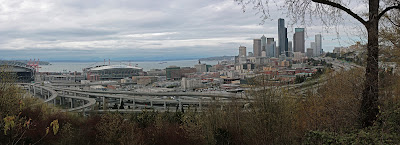
Your assignment over the next week is to take multiple  panorama style photomerges.  Take a picture and then move the camera slightly up or sideways to take another "connected" image. Basically you combine smaller pictures to make one larger picture.

Use a tripod if possible. Remember to manual adjust white balance or select something like "cloudy" or "sunny" on your camera.

Here is how you connect multiple pictures in Photoshop.

To set up a new Photomerge composition:
Import Photos
Place pictures in a separate folder for each merge
Do one of the following:
Choose File > Automate > Photomerge.
In the File Browser, select the images you want to use and then choose Automate > Photomerge from the File Browser menu bar
In the dialog box, choose an option from the Use pop-up menu:
  • Files to generate the Photomerge composition using individual files.
  • Folders to use all the images stored in a folder to create the Photomerge composition. The files in the folder appear in the dialog box.
  • Open Files to use the image files you have open in Photoshop.
Click the Browse button to navigate to the source files or folder you want to use to create the Photomerge composition. Select Attempt to Automatically Arrange Source Images if you want Photoshop to try to line the images up in their proper order.
Then edit your picture as you need.

Here is a tutorial you can use to get you going.
http://www.youtube.com/watch?v=qrNI-gAuI5s 

Tentative schedule

Wednesday January 13: Practice at school up by the track,the front of the school or Hamlin. Take seven different photomerges comprised of 3-9 pictures each. Turn in Photomerge Practice Contact Sheet.
Merge your pictures in Photoshop using the directions above.
Friday January 15: All period off-campus shooting day. Pick an amazing location and shoot seven photo merges consisting of 3-9 pictures each. Turn in Photomerge CS1. These pictures will not be merged together.
Weekend Homework: Go to one landscape location and shoot seven different photo merges consisting of 3-9 pictures each. Turn in Photomerge CS2. These pictures will not be merged together.
Wednesday January 20: All period off-campus shooting day. Pick an amazing location and shoot seven photo merges consisting of 3-9 pictures each. Turn in Photomerge CS3. These pictures will not be merged together.
Friday January 22: Photomerge editing.

  

Monday, January 11, 2016

Turning In Portraits

Portraits
·  Make sure Portrait CS is turned in to server.
·  Take a few minutes to pick your two best pictures, one from each session.
·  Turn in two best pictures. Call Picture 1 Portrait For Grade and Portrait 2 Portrait For Print. I will actually print both.
·  Open both pictures on desktop
·  Take out paper and pencil/pen.

Friday, January 08, 2016

Portrait Editing and Turn In Details


  • Re-touch and turn in 20 portraits in a 4*5 Contact Sheet.  Call it Portrait CS. Use as many adjustment methods as needed for each picture.
  • Turn in 8-12 pictures from each location (at SC and away).
  • Turn in at least 12 different types of Portrait Hints (review notes). Make sure each photo has the Portrait Hint name.
  • One picture can have different hair color or other fun (but realistic) changes.
  • Eliminate green screen background because it does not look professional. Replace it with black, white, a different color, or a background from a different picture. It still needs to look real.