Good morning.
Photo 2 students: please find two partners and teach them all the greyscale adjustments methods from last semester.
Go step by step and have the other students take notes.
These include Calculations, Ansel Adams, Basic Channel Mixer, Basic Black and White, and Duotone.
Edit 6 candids in grayscale today. Do not turn these pictures in yet.
Also, please work through the tutorials below.
Tomorrow is a Candid Off Campus picturing taking day.
I will try to arrange it so that students can use Highlander Home time to take pictures.
You must have a C or better to leave campus. Please turn in any missing work right now.
Don't forget your Candid homework assignment is due Thursday.
Extra detailed Ansel Adams Tutorial:
https://www.youtube.com/watch?v=IGwLqoL38-o
Black and white adjustment layer technique:
https://www.youtube.com/watch?v=yan0invgros
Curves and Channel Mixer Technique:
https://www.youtube.com/watch?v=Cq_sCa6shE8
Monday, March 13, 2017


Tuesday, March 07, 2017
Photo 2 Candid Photography
http://digital-photography-school.com/11-tips-for-better-candid-photography
http://digital-photography-school.com/make-yourself-invisible-5-tips-for-successful-candid-photography
Your assignment over the next week is to shoot three contact sheets full of candid photos between now and Tuesday March 8 .
Unintentional out-of-focus pictures will not be accepted. If you would like to try a some selective focus shots please tell me before you go out shooting and I can lend you a long lens.
Getty Images Candid Pics
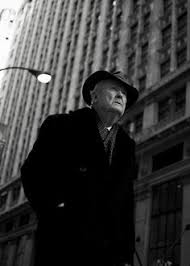




http://digital-photography-school.com/make-yourself-invisible-5-tips-for-successful-candid-photography
Your assignment over the next week is to shoot three contact sheets full of candid photos between now and Tuesday March 8 .
One of these contact sheets will be shot during class
on Thursday March 9th at Shorecrest.You will take candids of students and staff during this day. Some of these pictures could end up in the Yearbook.
The next contact sheet will be homework done at multiple locations of your choice due on Thursday, March 16th.
The next shooting day will Tuesday the 14th and you will shoot at multiple locations of your choice.
SC Candid due Thursday March 9th.
Candid CS2 due Tuesday, March 14 th.
Candid CS3 (homework) due Thursday, March 14th.
SC Candid due Thursday March 9th.
Candid CS2 due Tuesday, March 14 th.
Candid CS3 (homework) due Thursday, March 14th.
For each picture you should emphasize a specific composition element other than rule of thirds.
If you need a refresher on composition elements they can be reviewed at:
http://cybercollege.com/tvp023.htm
http://cybercollege.com/tvp024.htm
http://cybercollege.com/tvp025.htm
These include, but are not limited to: frame within a frame, leading lines, color contrast, movement and meaning, multiple levels of meaning, leading the subject, and using light to highlight or enhance a certain section of your picture. Move the camera around. Shoot high and low angles.
For this assignment I want you to get as far away from Shorecrest as possible. Downtown Seattle, Capital Hill, Fremont, and the U District are all great places to shoot "random" people, but Lake Forest Park could be just as effective. Make sure you ask permission to take pictures (especially if you are takingpictures of kids).
If you need a refresher on composition elements they can be reviewed at:
http://cybercollege.com/tvp023.htm
http://cybercollege.com/tvp024.htm
http://cybercollege.com/tvp025.htm
These include, but are not limited to: frame within a frame, leading lines, color contrast, movement and meaning, multiple levels of meaning, leading the subject, and using light to highlight or enhance a certain section of your picture. Move the camera around. Shoot high and low angles.
For this assignment I want you to get as far away from Shorecrest as possible. Downtown Seattle, Capital Hill, Fremont, and the U District are all great places to shoot "random" people, but Lake Forest Park could be just as effective. Make sure you ask permission to take pictures (especially if you are taking
Unintentional out-of-focus pictures will not be accepted. If you would like to try a some selective focus shots please tell me before you go out shooting and I can lend you a long lens.
Getty Images Candid Pics
Friday, March 03, 2017
Timer Script (Note: This script does NOT include the restart or jump scripts listed in the previous posts)
using System.Collections;
using System.Collections.Generic;
using UnityEngine;
using UnityEngine.UI;
using UnityEngine.SceneManagement;
public class PlayerController : MonoBehaviour {
public float speed;
public Text countText;
public Text winText;
public Text text;
private Rigidbody rb;
private int count;
float timeLeft = 30.0f;
void Start ()
{
rb = GetComponent ();
count = 0;
SetCountText ();
winText.text = "";
}
void FixedUpdate ()
{
float moveHorizontal = Input.GetAxis ("Horizontal");
float moveVertical = Input.GetAxis ("Vertical");
Vector3 movement = new Vector3 (moveHorizontal, 0.0f, moveVertical);
rb.AddForce (movement * speed);
}
void OnTriggerEnter(Collider other)
{
if (other.gameObject.CompareTag ("Pick Up"))
{
other.gameObject.SetActive (false);
count = count + 1;
SetCountText ();
}
}
void SetCountText ()
{
countText.text = "Count: " + count.ToString ();
if (count >= 13)
{
winText.text = "You Win!";
}
}
void Update()
{
timeLeft -= Time.deltaTime;
text.text = "Time Left:" + Mathf.Round (timeLeft);
if (timeLeft < 0)
{
SceneManager.LoadScene ("gameOver");
}
}
}
using System.Collections.Generic;
using UnityEngine;
using UnityEngine.UI;
using UnityEngine.SceneManagement;
public class PlayerController : MonoBehaviour {
public float speed;
public Text countText;
public Text winText;
public Text text;
private Rigidbody rb;
private int count;
float timeLeft = 30.0f;
void Start ()
{
rb = GetComponent
count = 0;
SetCountText ();
winText.text = "";
}
void FixedUpdate ()
{
float moveHorizontal = Input.GetAxis ("Horizontal");
float moveVertical = Input.GetAxis ("Vertical");
Vector3 movement = new Vector3 (moveHorizontal, 0.0f, moveVertical);
rb.AddForce (movement * speed);
}
void OnTriggerEnter(Collider other)
{
if (other.gameObject.CompareTag ("Pick Up"))
{
other.gameObject.SetActive (false);
count = count + 1;
SetCountText ();
}
}
void SetCountText ()
{
countText.text = "Count: " + count.ToString ();
if (count >= 13)
{
winText.text = "You Win!";
}
}
void Update()
{
timeLeft -= Time.deltaTime;
text.text = "Time Left:" + Mathf.Round (timeLeft);
if (timeLeft < 0)
{
SceneManager.LoadScene ("gameOver");
}
}
}
Restart Script: Note the name of the scene in SceneManager
using System.Collections;
using System.Collections.Generic;
using UnityEngine;
using UnityEngine.UI;
using UnityEngine.SceneManagement;
public class PlayerController : MonoBehaviour {
public float speed;
public Text countText;
public Text winText;
private Rigidbody rb;
private int count;
private bool grounded = true;
void Start ()
{
rb = GetComponent();
count = 0;
SetCountText ();
winText.text = "";
}
void FixedUpdate ()
{
float moveHorizontal = Input.GetAxis ("Horizontal");
float moveVertical = Input.GetAxis ("Vertical");
Vector3 movement = new Vector3 (moveHorizontal, 0.0f, moveVertical);
rb.AddForce (movement * speed);
if (Input.GetKeyDown (KeyCode.Space)&&grounded)
{
rb.velocity = new Vector3 (rb.velocity.x, 5, rb.velocity.z);
grounded = false;
}
if (Input.GetKey (KeyCode.R))
{
//load that level
SceneManager.LoadScene ("Roll A Ball Mod");
}
}
void OnTriggerEnter(Collider other)
{
if (other.gameObject.CompareTag ("Pick Up"))
{
other.gameObject.SetActive (false);
count = count + 1;
SetCountText ();
}
}
void OnCollisionEnter (Collision Other)
{
if (Other.gameObject.CompareTag ("Ground"))
{
grounded = true;
}
}
void SetCountText ()
{
countText.text = "Score :" + count.ToString ();
if (count >= 12)
{
winText.text = " You Win!";
}
}
}
using System.Collections.Generic;
using UnityEngine;
using UnityEngine.UI;
using UnityEngine.SceneManagement;
public class PlayerController : MonoBehaviour {
public float speed;
public Text countText;
public Text winText;
private Rigidbody rb;
private int count;
private bool grounded = true;
void Start ()
{
rb = GetComponent
count = 0;
SetCountText ();
winText.text = "";
}
void FixedUpdate ()
{
float moveHorizontal = Input.GetAxis ("Horizontal");
float moveVertical = Input.GetAxis ("Vertical");
Vector3 movement = new Vector3 (moveHorizontal, 0.0f, moveVertical);
rb.AddForce (movement * speed);
if (Input.GetKeyDown (KeyCode.Space)&&grounded)
{
rb.velocity = new Vector3 (rb.velocity.x, 5, rb.velocity.z);
grounded = false;
}
if (Input.GetKey (KeyCode.R))
{
//load that level
SceneManager.LoadScene ("Roll A Ball Mod");
}
}
void OnTriggerEnter(Collider other)
{
if (other.gameObject.CompareTag ("Pick Up"))
{
other.gameObject.SetActive (false);
count = count + 1;
SetCountText ();
}
}
void OnCollisionEnter (Collision Other)
{
if (Other.gameObject.CompareTag ("Ground"))
{
grounded = true;
}
}
void SetCountText ()
{
countText.text = "Score :" + count.ToString ();
if (count >= 12)
{
winText.text = " You Win!";
}
}
}
Wednesday, March 01, 2017
Editing Tourism Assignment
You will edit your ten best Tourism pictures today in Photoshop. Please choose 10 diverse pictures showcasing a variety of subjects in a variety of locations using a variety of composition and elements of design. Please do not use pictures that repeat single subjects if you can avoid it.
Please adjust and edit in Photoshop using the magic wand, quick selection tool, using cropping, burning, dodging, content-aware fill, and clone stamp.
You can also adjust using a variety of Layer Adjustments located just above the Layers palette.

Please adjust and edit in Photoshop using the magic wand, quick selection tool, using cropping, burning, dodging, content-aware fill, and clone stamp.
You can also adjust using a variety of Layer Adjustments located just above the Layers palette.

Please try to improve color, lighting, and composition within each photo.
At the end of the period will turn in one 10 picture, 2*5 contact sheet called "Tourism Adjusted."
You will also turn in your best single picture a a jpeg file. This will be called "Best Tourism Photo."
Jump Script
using System.Collections;
using System.Collections.Generic;
using UnityEngine;
using UnityEngine.UI;
public class PlayerController : MonoBehaviour {
public float speed;
public Text countText;
public Text winText;
private Rigidbody rb;
private int count;
private bool grounded = true;
void Start ()
{
rb = GetComponent<Rigidbody> ();
count = 0;
SetCountText ();
winText.text = "";
}
void FixedUpdate ()
{
float moveHorizontal = Input.GetAxis ("Horizontal");
float moveVertical = Input.GetAxis ("Vertical");
Vector3 movement = new Vector3 (moveHorizontal, 0.0f, moveVertical);
rb.AddForce (movement * speed);
if (Input.GetKeyDown (KeyCode.Space) && grounded)
{
rb.velocity = new Vector3 (rb.velocity.x, 10, rb.velocity.z);
grounded = false;
}
}
void OnTriggerEnter(Collider other)
{
if (other.gameObject.CompareTag ("Pick Up"))
{
other.gameObject.SetActive (false);
count = count + 1;
SetCountText ();
}
}
void OnCollisionEnter (Collision Other)
{
if (Other.gameObject.CompareTag ("Board"))
{
grounded = true;
}
}
void SetCountText ()
{
countText.text = "Count: " + count.ToString ();
if (count >= 12) {
winText.text = "You Win!";
}
}
}
using System.Collections.Generic;
using UnityEngine;
using UnityEngine.UI;
public class PlayerController : MonoBehaviour {
public float speed;
public Text countText;
public Text winText;
private Rigidbody rb;
private int count;
private bool grounded = true;
void Start ()
{
count = 0;
SetCountText ();
winText.text = "";
}
void FixedUpdate ()
{
float moveHorizontal = Input.GetAxis ("Horizontal");
float moveVertical = Input.GetAxis ("Vertical");
Vector3 movement = new Vector3 (moveHorizontal, 0.0f, moveVertical);
rb.AddForce (movement * speed);
if (Input.GetKeyDown (KeyCode.Space) && grounded)
{
rb.velocity = new Vector3 (rb.velocity.x, 10, rb.velocity.z);
grounded = false;
}
}
void OnTriggerEnter(Collider other)
{
if (other.gameObject.CompareTag ("Pick Up"))
{
other.gameObject.SetActive (false);
count = count + 1;
SetCountText ();
}
}
void OnCollisionEnter (Collision Other)
{
if (Other.gameObject.CompareTag ("Board"))
{
grounded = true;
}
}
void SetCountText ()
{
countText.text = "Count: " + count.ToString ();
if (count >= 12) {
winText.text = "You Win!";
}
}
}
Friday, February 17, 2017
Sequence Reading and Examples
Jump Cuts Reading and Sequence Requirements
Before you edit please read the articles below and takehttp://www.mediacollege.com/video/editing/transition/jump-cut.html
http://www.youtube.com/watch?v=xn4rgpLTGew
20 Steps for Shooting Great Video
Group 10-shot Sequence: A sequence is a series of shots connected together as part of a whole scene.
Example 1:
Example 2:
Example 3:
Example 4:
10-12 different action oriented shots
· Insert Shot
· Reaction Shot (cutaway)
Shoot a master shot of the whole sequence beginning to end
· Shoot every shot three different times from three different angles
· Raw Footage will be graded
· Edited video should include fade in/out, title, music, sound effects, and credits over black
No jump cuts
No continuity errors
Do not cross the Axis Line
All shots in focus.
Monday, February 13, 2017
Tourism Magazine Assignment


You work for a tourism magazine.
Your job as the Photojournalist for the Tourism Magazine is to take pictures that will encourage people to visit or move to a specific town or neighborhood. In other words, you need to take pictures of everything this town or neighborhood has to offer.
- Take (literally) a few hundred pictures in Shoreline/Lake Forest Park or the location of your choice.
- Please try to get to at least five or six
locations within Shoreline/Lake Forest Park or your location of choice. - Shoot landscape, portrait, pattern, shadow, action, macro, candid, and abstract shots.
- Try to shoot as many of the Elements of Design as possible:unity, texture, line, form, contrast, color, texture,
balance , rhythm, positive/negative space.
The Principles of Design in Photography | Trent Sizemore Photography
http://photoinf.com/General/Robert_Berdan/Composition_and_the_Elements_of_Visual_Design.htm
http://photoinf.com/General/Geoff_Lawrence/Composition.html - Don't forget about all the parks, trails, streams, nightlife, coffee shops, and even some of the stores.
- If you are leaving over mid-winter breaking to some place interesting (like Maui) you can do the assignment on vacation.
- You will shoot pictures around Shoreline/Lake Forest Park on Thursday, February 16. You can use these for your final product or keep these pictures as practice. You must turn in a contact sheet when you return to class.
- You will turn in two 48 picture contact sheets when you return from mid-winter break.
At
the end of the assignment you will turn in 10 high quality images. You
will name each image using the Element of Design that fits best.
To
receive an A you must go to a variety of locations, shoot a variety of
interesting subjects, use a variety of the Elements and Principles of
Design.


Manual Work Photo 1/2
- You can shoot anywhere within walking distance of the Shorecrest campus.
- All pictures should showcase your ability to shoot with proper composition, which includes rule of thirds, proper headroom, and leading the subject.
- Regular Action Shooting
Place the camera in Manual mode.
Shoot 30-40 pictures of moving subjects using traditional fast shutter speeds (usually 1/250-1/2000). The entire picture should be in focus.
Have your subjects repeat the same action over and over. Adjust the aperture as needed to ensure proper lighting. Don’t forget to show faces.
Have your subjects repeat the same action over and over. Adjust the aperture as needed to ensure proper lighting. Don’t forget to show faces.
Your goal is to get 10-12 great shots. Keep shooting until you feel you have at least 10-12 great shots.
Suggested activities to shoot: someone running across the field, someone doing jumping jacks, someone doing back handsprings or other gymnastic moves, or (if you have any sporting equipment) take pictures of someone playing catch with a football, baseball, or Frisbee etc.
Suggested activities to shoot: someone running across the field, someone doing jumping jacks, someone doing back handsprings or other gymnastic moves, or (if you have any sporting equipment) take pictures of someone playing catch with a football, baseball, or Frisbee etc.
- Depth of Field Practice
Put the camera in manual (aperture mode).
Shoot 10 Shots of the exact same subject from the exact same angle.
Adjust the Aperture from low to high between each shot.
Start at a wide open aperture setting of f4.0 and work your way down to f29.
I would suggest shooting a flower or tree close up with something else in the deep background.
Friday, February 10, 2017
AP Photo: Take 10 Photos a Day for a Week
Beginning today, Friday February 10, you will take 10 pictures a day, for 1 week, totaling 70 pictures. This also means that you will need to shoot 20 images over the weekend. There is no theme for this assignment. Your images can be of any subject matter. You can take the pictures during school (in class) or after school (out of class). The following week you will edit your images in Photoshop (basic color corrections, cropping, editing, etc.).
You will turn these images in on a Contact Sheet. Each image will be labeled in Photoshop with a title that should include the date each photo was taken. I will check to make sure you have turned your images in on a daily basis.
This assignment is designed to get you thinking about subjects & concepts you enjoy to photograph. This will help you to begin to brainstorm your ideas for your AP portfolio.
Due: February 17
Naming convention _70photos
Naming convention _70photos
Your grade for this assignment will be based on several factors:
- Completion of each image.
- Turned in on time (formative)
- The quality and creativity of your 70 images
- Your choice of which photos to possibly use for your portfolio (summative).
Monday, February 06, 2017
Photo 1/2 Manual Camera Information and Shutter Speed Assigmment
Please watch and take notes on the following video:
Manual Settings Video
Please read and take notes:
http://cybercollege.com/tvp012.htm
Please click on the link below and adjust only the shutter moving it from .5 sec to 1/4000. Clip snap photo after each movement.
http://camerasim.com/apps/original-camerasim/web//
30-35 minutes after class has started you will find your partner as listed below. You are NOT allowed to switch partners.
Digital Photo 2 students will explain shutter speed to their partner throughout the remainder of the period.
You will get a DSLR camera and turn in to Tv mode (shutter priority). Make sure you have a memory card in the camera.
As a class you will walk to the back gym and do the following assignment with your partner only.
2nd Period Partners:
Jasmin, Luka and Nathaniel A.
Ricardo and Jack A.
Madeline, Oliver and Anna
Kristin,Isaac, and Faith
Hamoon and Kegan
Naseem and Esmeralda
Nate and Brandon
Jordan and Chloe
Blake and Brad
Colin and Zeth
Omar and Maurice
David Rodolf can assist as needed
4th Period Partners:
Morgan and Langley
Sydney and Keith
Emma and Paige
Lymer and Kay
Heather and Kobe
Livia and Valerie
Julia and Evan
Charlie and David
Nate I. and Marian
Madison and Marisa
Beatrice and Julia
Donovan and Finn
Jonathan, Abel, and Emily
Manual Settings Video
Please read and take notes:
http://cybercollege.com/tvp012.htm
Please click on the link below and adjust only the shutter moving it from .5 sec to 1/4000. Clip snap photo after each movement.
http://camerasim.com/apps/original-camerasim/web//
30-35 minutes after class has started you will find your partner as listed below. You are NOT allowed to switch partners.
Digital Photo 2 students will explain shutter speed to their partner throughout the remainder of the period.
You will get a DSLR camera and turn in to Tv mode (shutter priority). Make sure you have a memory card in the camera.
As a class you will walk to the back gym and do the following assignment with your partner only.
- The photo one student will use the camera first.
- Have your Photo 2 partner repeat the same action (fast movement) over and over again. Take pictures and try to capture the action in focus.
- Change the shutter speed after every shot. Start at 1/2500 and work your way down to 1 second.
- Photo 2 person assist as needed.
- Take 30-36 pictures
- Do not delete any pictures, even the blurry ones.
- Photo 2 person then completes the same assignment.
Turn in a 4*6 Contact Sheet at the end of the period called "Last Name_First Name_Shutter Practice." Photo 2 students can assist with contact sheets as needed.
2nd Period Partners:
Jasmin, Luka and Nathaniel A.
Ricardo and Jack A.
Madeline, Oliver and Anna
Kristin,Isaac, and Faith
Hamoon and Kegan
Naseem and Esmeralda
Nate and Brandon
Jordan and Chloe
Blake and Brad
Colin and Zeth
Omar and Maurice
David Rodolf can assist as needed
4th Period Partners:
Morgan and Langley
Sydney and Keith
Emma and Paige
Lymer and Kay
Heather and Kobe
Livia and Valerie
Julia and Evan
Charlie and David
Nate I. and Marian
Madison and Marisa
Beatrice and Julia
Donovan and Finn
Jonathan, Abel, and Emily
Friday, February 03, 2017
Get SC Unity Games From the Vidstore Server

Type Vidstore
Select Connect to server
Select Connect to server

Type Vidstore

Name: scvideo

Select SC Video classes

Open Public Folder
Option-Click and Drag the Unity Games SC Students folder to your desktop

Coding Websites
https://scratch.mit.edu/
https://code.org/learn
https://lightbot.com/flash.html
www.tynker.com/free-play
https://studio.code.org/s/20-hour
https://www.madewithcode.com/projects/
http://art.kano.me/challenges
https://www.khanacademy.org/hourofcode
https://www.codecademy.com/
http://kata.coderdojo.com/wiki/Dojogame
https://techprep.fb.com/
Thursday, February 02, 2017
Photo 1/2 Photo Review
Photo Review
When you return to class please
upload your pictures, name the picture in the category it belongs (for example landscape
1 or color contrast 2) and then create a 4*6 contact sheet called “Composition
2”. Photo 1 students please add the name of your Photo 2 tutor at the end of
the assignment name.
Please fill the frame in every
single shot.
|
Number of Photos Needed
|
Composition or Element of Design
|
Focus
|
|
4
|
Landscape
|
Wide Shot
Foreground, Mid-Ground, Background
|
|
4
|
Leading Lines
|
Lines that lead directly to a
subject
|
|
4
|
Pattern
|
Repeating objects/subjects.
|
|
4
|
Unity
|
2 or more objects/subjects that
create a picture under one theme
|
|
4
|
Framing
|
Using objects in the shot to frame
(border) a specific subject
|
|
4
|
Rule of Thirds
|
One main subject shot just off
center
|
Subscribe to:
Posts (Atom)