Thursday, March 26, 2015

Urban Landscapes

Urban Landscapes


Think hard about the at least 10 specific locations in Shoreline, or the greater Seattle area where you could go to take some amazing examples of Urban Landscape photography.
(You should think of 2 possible locations for each of the 5 categories listed below).


Here are a few great tips on Urban Landscape photography:

1. Early Bird Catches the Worm – First thing in the morning is a great time to shoot for a number of reasons including that the light is diffused and the ‘sky acts like a giant filter’. I find that early morning shots can be great for other reasons too:
  • Clean Streets - Most street cleaning happens over night and the early morning often finds urban scenes with less litter to clutter your shots.
  • People Free Shots - Shots around dawn have less likelihood of being cluttered by people. It’s amazing who lonely a city can look if you’re able to get a people free shot.
  • Different Activity – Of course you might want people in some of your shots – It’s amazing how an urban area can change depending upon who is around. While at 9 am you’ll get a peak hour feel to your shots and on the weekend at midday you might get a crowd of shoppers – in the wee hours of the morning there’s a whole different group of people wandering the streets can give your shots a whole new focal point.

2. Prospective Perspectives – I would suggest that the shape of the buildings that you’re shooting should alter the way you frame your images. Buildings with domes should include background to help viewers appreciate it’s form and square buildings look best when shot at a 45-60 degree angles.


3. Up and Coming – Don’t just photograph the finished product when it comes to buildings but also focus upon construction areas, or areas of decay, and what has been forgotten or is being built and/or renovated.


4. Permission to Shoot – Some places don’t allow public photography and you might need to get a license and/or other form of permission to photograph them. You could liken it to getting a model release when photographing people. Getting permission can mean the difference between owning copyright or not of the images you take in some instances. This will of course vary from place to place.


5. Angle Attack – Find new angles to photographing well known buildings. Find areas of them that are hidden from the average photographer and look for interesting patterns, shapes, textures, reflections and angles that highlight the details of the building that might have previously been missed by others. 

Wednesday, March 25, 2015

Stop Motion Assignment

Stop Motion Assignment

Your next project is a 600-800 frame stop motion animation assignment. 
You will shoot still pictures of objects or people and eventually make them move on a frame by fame basis. 
Here is the simplified version of the assignment: take a picture, move the object, take a picture, and move the object etc.
This assignment is the only homework assignment this semester.
You will shoot this assignment away from school anytime in the next two weeks.
All pictures are due on Wednesday, April 8.
You will edit your videos in Adobe Premiere and add sound effects and music.

Western Spaghetti

Fresh Guacamole

Lego Stop Motion

Star Wars

http://www.youtube.com/watch?v=AJzU3NjDikY

http://www.youtube.com/watch?v=MtbQ4J3RfQ8&feature=related

http://www.youtube.com/watch?v=2_HXUhShhmY&feature=related

http://www.youtube.com/watch?v=DKWdSCt4jGE


http://www.youtube.com/watch?v=qBjLW5_dGAM

http://www.youtube.com/watch?v=BpWM0FNPZSs&feature=related 

http://www.youtube.com/watch?v=o2pvO-FEqq4&feature=related

http://www.youtube.com/watch?v=5m23bL9AqB0&feature=related

http://www.youtube.com/watch?v=cYhhfHYZa5s&feature=related

Stop Motion Pre-Production

Please get in your groups and start planning your production.

1. Please use TEXT EDIT and turn in the following information in the Vidstore server:
A four to five sentence description of your animation project:
  • What are you animating?
  • Please tell me what special "tricks" you will create to make your animation look interesting. What will your characters do that they can't do in real life?
  • Most importantly please tell me the story from beginning to end.
  • What type of music will you use? Why?
  • What kind of sound effects will you add?
2. Create a storyboard of the first 45 frames.

 Each video will need:

1.                 Fade In/Out

2.                 Titles

3.                 Credits

4.                 Music 

                  5.                 Sound Effects for everything

Tuesday, March 17, 2015

Spring Quote Assignment

Photo 2: Spring Quote Assignment


Spring Quote Asisgnment

http://decideforyourself.files.wordpress.com/2008/10/spring2.jpg

"In the spring, at the end of the day, you should smell like dirt." 
-- Margaret Atwood

Spring is nature's way of saying, "Let's party!" ~Robin Williams

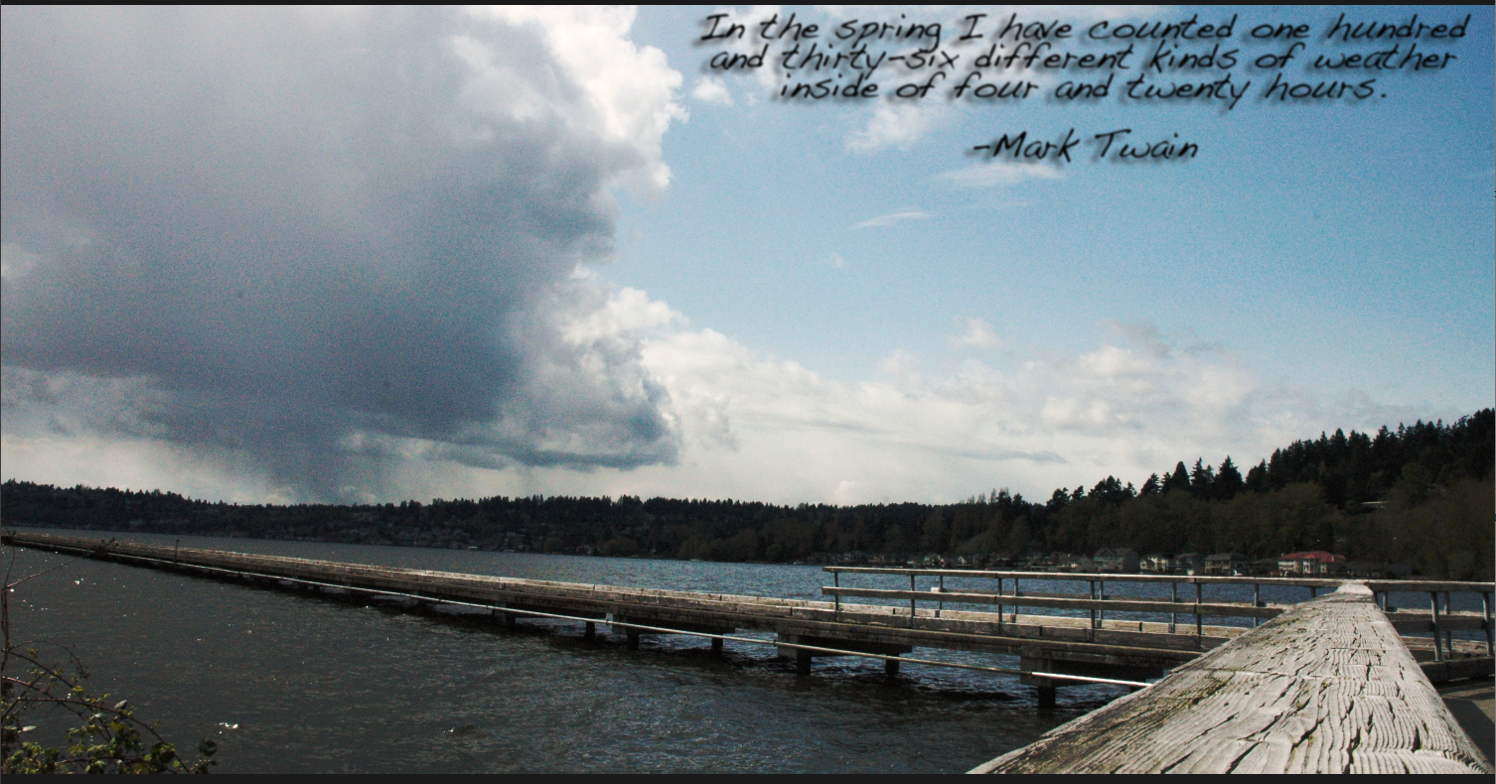
In the spring I have counted one hundred and thirty-six different kinds of weather inside of four and twenty hours. ~Mark Twain

I sing of brooks, of blossoms, birds, and bowers: Of April, May, of June, and July flowers. I sing of Maypoles, Hock-carts, wassails, wakes, Of bridegrooms, brides, and of their bridal cakes. 
Robert Herrick

You will shoot two contact sheets based around two quotes about the spring season. In other words, pick your quotes and shoot pictures for those quotes.
I will list a few websites where you can find some quotes about spring, or you can find your own.

  • First, pick your two quotes.
You will have shooting days Thursday and on the weekend.
Contact sheets are due at the end of each of these days.
Next Monday you will have class time to adjust these pictures.

Many spring quotes are directly about the seasons and nature. However, you will find many quotes that also deal with events or sports that take place during spring time like weddings, music festivals, baseball, and golf etc. You also may find quotes that talk about spring cleaning, BBQ's, family gatherings, Easter, and Mother's Day etc.

Spring Quotes


You may also use a quote from spring poems.

Don't forget, you can also try to find your own quotations as well.

spring-3.jpg Happy Spring! image by sonmade44
 

Monday, March 16, 2015

Action Script 2.0: Stops and Mouse Control

Button:
http://www.youtube.com/watch?v=NLP7A9IYptU

Action Script 2.0
http://www.youtube.com/watch?v=PdvPEaoU7tg&feature=related

Action Script 2.0

http://www.youtube.com/watch?v=Q-QkWaY9y1o&feature=related


To create a STOP action script on the TIMELINE do the following:
1. Click on the exact frame in the timeline where you want your STOP to occur.
2. Control click and select Actions.
3. Under TIMELINE CONTROL in the upper left hand corner double click STOP.


4. stop(); should show up in the coding section on the right hand side.


To create ACTION SCRIPT for your button do the following:
1. Click the frame that your button appears in the timeline (make sure your button is on it's own layer).
 2. Click directly on your button you have created down in the work area (not on the timeline).
3. Control Click>Actions
4. Under MOVIE CLIP CONTROL select ON and then RELEASE

5. Move the cursor to the second line
6. Under TIMELINE CONTROL select GOTO AND PLAY and then type in the frame where you want the button to transport the gamer player on the timeline.
Note: at the bottom of the Action Script commands under Current Selection your button should be selected under current selection:

Wednesday, March 11, 2015

Animation: Choose Your Own Adventure Day 1

Good morning,

You are now ready to start the Choose Your Own Adventure assignment. This is an interactive game your peers will play. If you want to map out a plan before you begin it might look something like this:
Your CYOA will not have as many options, but I hope you get the idea.

Please spend the entire period creating your main characters and then developing the first detailed background for your CYOA. By the end of the period you should have at least two main characters and the background for your animation. If possible, please start creating movie clips as well. Your characters will move and will therefore be mostly movie clips at some point.

Remember, at the end of the each section the game player will need to decide what to do next. I will go over how to create buttons and action script that will allow you to "code" your game on Friday.


Friday, March 06, 2015

CHOOSE YOUR OWN ADVENTURE FLASH GAME ASSIGNMENT

CHOOSE YOUR OWN ADVENTURE ASSIGNMENT:
For this project you will be creating an adventure of some sorts that pauses periodically and gives the viewer a choice in where the story goes, thus a "choose your own adventure" tale! Your movie must contain:

* 8 Buttons
 
* goto and play
* stop
* up, over, down, hit states
* no stick figures
*multiple motion and shape tweens
* movie clips
* at least three instances of sound, sound should FILL your animation
At least three places where decisions need to be made


Please answer the questions below in an email and email the responses to me at trent.mitchell@shorelineschools.org

Please answer the questions in complete sentences today.
* Who are the characters? List at least two.
Where does the story take place?List precise location with details.
* What is the main story from beginning to end? What is the main character trying to do? (2-4 sentences).
* What are the options in the choose your own adventure? What are the outcomes?
* How will your animation be more interesting and better looking than your last project?

Export SCNN Commercial Animations

SCNN Commercials: Export your Animation Project and Turn It In To the Vidstore Server


Exporting From Flash to Quicktime

File>Export>Export Movie>Quicktime

Save it using the naming convention. Save it in your movies folder.
Change the Store temporary file to disc.


Next, log onto to Vidstore.shorelineschools.org and drop it in the period 3 or 5 folder.

  • Click on your desktop background.
  • Go
  • Connect To Server
  • Vidstore
  • name:scvideo
  • password:Outback23
  • SC Video Classes
  • Drop the Quicktime file into the 3rd or 5th period folder.

Wednesday, February 25, 2015

Creating Sounds in GarageBand

Create New Project.

Name your project.

Go to Track>New Track.
Select Real Instrument.

Select Vocals and pick your vocal style.

Plug in microphone and select "yes" when you are asked if you want to use C-Media USB Audio Device.


Check input source and adjust recording level.


Click on the track you want to record and click the red record butting when you want to start recording.

To share your sound so you can use it in Flash or other programs:


Make sure you remember exactly where you save your file.


Tuesday, February 24, 2015

Digital Photo 2: Candid Photography

Candid Assignment between now and Monday

Read these tips:

http://digital-photography-school.com/11-tips-for-better-candid-photography
http://digital-photography-school.com/make-yourself-invisible-5-tips-for-successful-candid-photography

Your assignment is to shoot two contact sheets full of candid photos between now and Monday. One of these contact sheets will be shot during class on Thursday. You will check out of class at 10:00 am and return at 11:55.

For each picture you should emphasize a specific composition element other than rule of thirds.
If you need a refresher on composition elements they can be reviewed at:

http://cybercollege.com/tvp023.htm
http://cybercollege.com/tvp024.htm
http://cybercollege.com/tvp025.htm

These include, but are not limited to: frame within a frame, leading lines, color contrast, movement and meaning, multiple levels of meaning, leading the subject, and using light to highlight or enhance a certain section of your picture. Move the camera around. Shoot high and low angles.

For this assignment I want you to get as far away from Shorecrest as possible. Downtown Seattle, Capital Hill, Fremont, and the U District are all great places to shoot "random" people, but Lake Forest Park could be just as effective. Make sure you ask permission to take pictures (especially if you are taking pictures of kids).


Unintentional out-of-focus pictures will not be accepted. If you would like to try a some selective focus shots please tell me before you go out shooting and I can lend you a long lens.

Getty Images Candid Pics

Monday, February 23, 2015

Flash SCNN Commercial


Next Animation Project: SCNN

Your next assignment will be a 15-25 second SCNN commercial for anything school related. This could include a dance, a game, a club, an event, or anything else. Content must be related to the specific school related item and must take place at the end of March at the earliest.

Your animation needs to include:
  • Music or sound effects throughout the entire animation
  • Dialogue (talking) characters
  • Foreground and Mid-ground objects and a detailed background
  • Keyframe animation
  • One Shape tween
  • Motion tweens
  • multiple movie clips
  • Text that describes the information for the school club, group, sport, or event
  • 180-300 frames

Wednesday, February 04, 2015

Flash Animation Tutorials

https://www.youtube.com/watch?v=yQ4nPgud8ok

https://www.youtube.com/watch?v=Pks2R7lgufg

https://www.youtube.com/watch?v=McaapLH8DvM

Shape Tween Tutorial: https://www.youtube.com/watch?v=KE5UUqvn3C8
Movie Clip Tutorial: https://www.youtube.com/watch?v=EaXi0hQHx04
How to add sound: https://www.youtube.com/watch?v=bJnFBnkhSaM
Animate background to simulate movement: https://www.youtube.com/watch?v=o1SzK9EZ5UM

Adding Sound Effects Folder to Your Computer from the Vidstore Server

Click on desktop

Select Go at the top of the screen
Select Connect to server

Type Vidstore
Click Connect
Name: scvideo
Password: Outback23
Select SC Video Classes

Public Folder


Search for the Sound Effects folder, hold down option, select the folder, and drag it to the desktop

Flash Animation Assignment

First "Real" Animation Assignment

Animation Assignment


  • 1920*1080
  • 12 FPS
  • 5+ layers
  •   60+ frames
  •   15+ keyframes 
  • Detailed characters
  •   foreground, mid-ground, and background
  •   both shape and motion tweens
  •  2 Detailed Movie Clips
  • At least three Sound Effects 
  • All items on separate layers 
You will work on this assignment Wednesday, Friday, and Monday.

Tuesday, February 03, 2015

Types of photos for Magazine Assingnment


Landscape
Silhouette
Macro:
Motion
Moving People
Portrait
Food/restaurants
Architecture/buildings
Abstract
HDR
Shutter
Panning
Photomerge

How do each of your photos encourage people to visit Shoreline? What makes each picture unique and special?
Photo 2: Shoreline Magazine Assignment

You work for Shoreline Magazine. Your job as the Photojournalist for Shoreline Magazine is to take pictures that will encourage people to visit or move to Shoreline. In other words, you need to take pictures of everything Shoreline (including Lake Forest Park) has to offer.

  • Take (literally) a few hundred pictures in Shoreline. 
  •  Please try to get to seven or eight locations.
  • Shoot landscape, portrait, pattern, shadow, action, macro, and abstract shots.
  • Try to shoot as many of the Elements of Design as possible: line, form, shape, color, texture, balance, rhythm, positive/negative space.
  • Shoot as far east as Lake Washington and as far west as Richmond Beach.
  • Don't forget about all the parks, trails, streams, (limited) nightlife, and even some of the stores.
 

At the end of the assignment you will turn in eight high quality images. You will name each image using the Element of Design that fits best.

 To receive an A you must go to a variety of locations, shoot a variety of interesting subjects, use a variety of the Elements and Principles of Design.
Schedule:
Thursday February 5: All period shooting day
Homework: Two contact sheets full of Shoreline images due Tuesday February 12.
Tuesday February 10: Another all period shooting day
Thursday Febraury 12: adjust Photos in Photoshop. Turn in final images.

Connect To Vidstore


Go
Connect to server
Vidstore.shorelineschools.org
Name: scvideo
Password: Outback23
Sc video classes
Period 4

Create a Contact Sheet in Adobe Bridge


Put your SD card into the back of the computer or plug in your camera using a USB chord.

1. Import your pictures using Image Capture
2. Create a folder on your computer.
3. Drag the pictures you want to use in this Contact Sheet  into this new folder.
4. Open Adobe Bridge CS6
5. On left hand side find your folder and select it.
6. Select the files down below so that they show up in the Preview section. You can select the pictures via lasso, shift key, or command key.
7. On the right hand side select Output. Make sure .pdf is selected. Columns and rows will vary.
  • 6 pictures means columns and rows=2*3
  • 12 pictures means columns and rows=3*4
  • 20 pictures means columns and rows 4*5
  • 24 pictures means columns and rows=4*6


 8. Click save in the lower right hand corner. Save to your pictures folder.
9. Upload .pdf Contact Sheet to the Staff Server>Mr. Mitchell>Correct Class Period