Monday, November 26, 2012

Portrait Assignment

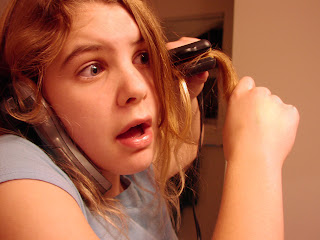
Digital Photography: Portrait Assignment


You will shoot portraits over the next two weeks on Thursday November 29  and Tuesday Dec. 4. 
One day you will shoot at school using the lights in the studio and the other day you will shoot off-campus at a predetermined location. 
You will shoot AT LEAST 24 pictures of your subject each day (most of you will shoot between 50 and 75 pictures.
You can, and probably should, take pictures on the weekend as well.

1. Find two interesting human subjects. The people you choose should WANT to be in the picture and they should be willing to cooperate. It's OK to work with people in this class.
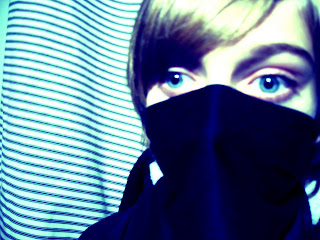
2. Talk to your subject. What type of portraits do you want to create? Use colors or lighting to create a concept for your portrait. Costumes or uniforms work great. Imaginary ideas are OK. Choose an interesting setting based on your concept.
3. Change angles between shots. Shoot at least 24 pictures of each subject.
4. Use props if they will help the audience learn something about the subject.
5. Vary the lighting. Use filters, flashlights, lamps, or multiple lights to enhance your picture. Use the different lighting techniques that you will read about in class (see above).
6. Encourage different emotional looks. Pretend you are Austin Powers taking pictures. Tell your subject they are "groovy".
7. Having your subjects "pose" in action is just fine.
8. Most importantly for this assignment don't forget your compostion rules. Use framing, leading lines, rule of thirds, color contrast etc. to enhance your photo. Fill the frame.

Portrait HintsPart 1
Portrait Hints Part 2

More Hints

Even more hints
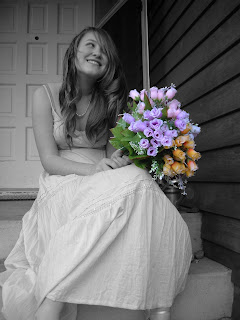


Here is a list of the different types of portraits photos you will turn in:

  • A Vignette Photo
  • A Grayscale Method Photo
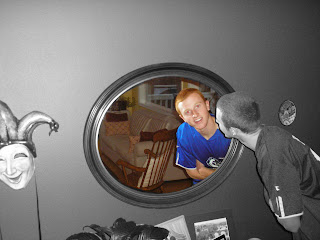
  • A One Item Kept in Color Photo
  • A selective Focus Photo
  • A minimally adjusted photo
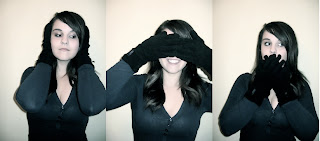
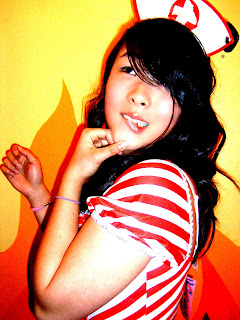
  • One WHACKY anything goes portrait (change the colors, use the liquefy tool, and make this as unique and interesting as you can)

Finally, you will turn in your best picture as well.
Lighting!!!
http://mrstorydigiphoto.blogspot.com/2011/12/different-lighting-techniques.html

Friday, November 16, 2012

Import Stop Motion Pictures into Final Cut

Animation: Import Pictures into Final Cut

1. Make sure the pictures are on the server for your whole group to get. Get the pictures.
2. Open Final Cut Pro
3. Go to Final Cut Pro>User Preferences
4. Select Editing>Change Still Frame Duration to 00:00:05
5. Go to File>Import>Import Folder> and select on your stop motion picture folder
Final Cut Shortcuts:
Render Red=Command R
Render Green=Control R
Selection (move tool)=A
Razor Blade (cut clips)=B

Wednesday, November 07, 2012

Stop Motion Assignment

Your next project is a stop motion animation assignment. You will work in groups of three. You will have two full class periods to shoot your assignment using my digital cameras. You will edit your videos on final Cut Pro and add sound effects and music.


http://www.youtube.com/watch?v=AJzU3NjDikY

http://www.youtube.com/watch?v=MtbQ4J3RfQ8&feature=related

http://www.youtube.com/watch?v=2_HXUhShhmY&feature=related

http://www.youtube.com/watch?v=DKWdSCt4jGE


http://www.youtube.com/watch?v=qBjLW5_dGAM

http://www.youtube.com/watch?v=BpWM0FNPZSs&feature=related

http://www.youtube.com/watch?v=o2pvO-FEqq4&feature=related

http://www.youtube.com/watch?v=5m23bL9AqB0&feature=related

http://www.youtube.com/watch?v=cYhhfHYZa5s&feature=related

Stop Motion Pre-Production

Please get in your groups and start planning your production.

1. Please use TEXT EDIT and turn in the following information in the STAFF server:

  • Group Member names
  • A four to five sentence description of your animation project. 
  • Please tell me what special "tricks" you will create to make your animation look interesting. What will your characters do that they can't do in real life?
  • Also, let me know if you are using props or if the characters are wearing costumes. Who will wear what outfits?
  • Most importantly please tell me the story from beginning to end.
  • What type of music will you use? Why?
  • What kind of sound effects will you add?
2. Create a storyboard of the first 45 frames.

 Each video will need:

1.                 Fade In/Out

2.                 Titles

3.                 Credits

4.                 Music and sound effects

Thursday, November 01, 2012

Photomerge Assignment


Your assignment over the next five to six days:

You will create three Photomerge pictures. These are 3-5 pictures that overlap to show a wide landscape or cityscape
Your three Landscape/Cityscape style Photomerges should be taken at two different locations at two different times of day.

Use a tripod if possible. Remember to manual adjust white balance or select something like "cloudy" or "sunny" on your camera.

Summary
  • Three locations
  • One Photomerge from each location
  • make sure each Photomerge is taken at a different time

Tentative schedule

Tuesday: shooting day, go to an AWESOME landscape location leave at the end of Ti2
Thursday: shooting day, go to an AWESOME landscape location, leave at TAP
Weekend: At least one more location

Note: I would shoot at least eight or nine Photomerges from each location. Shoot each attempt at a slightly different angle. Again, and I can't emphasize this enough, a tripod really helps.


Tuesday, October 30, 2012

How to Edit and Turn in Your Action Pictures

     Turn in 24 picture Action Contact Sheet
 
·      Start Editing Your Ten Best Action Pictures
Make sure you have 1 grayscale, one one-item kept in color, and two mild selective focus picture
·      Do Not Add Text (yet)
·      Create a Folder with your ten best Action Pictures as JPEGS
·      Name the folder with your name and the name of the sport
·      Drop the folder into the Vidstore Server>Public>Yearbook Action Photos
  1. Go
  2. Connect to server
  3. Vidstore.shorelineschools.org        
  4. Name: scvideo
  5. Password: Outback23
  6. SCvideo classes
  7. Public Folder
  8. Yearbook Action Photos

·      Add Text to Pictures
·      Use student names and teams when describing action
·      Turn in Action Photos adjusted to Staff Server as a Contact Sheet
·      Turn in Best Action Picture without text
 

Thursday, October 25, 2012

Action Photo Practice

Action Photo Practice

Today you will shoot and turn in a full contact sheet of action pictures. 
You should have 10-12 SUCCESSFUL panning style pictures using shutter speeds of around 1/20-1/60 and then 10-12 pictures of regular fast shutter speeds (usually 1/250-1/2000).
Have your subjects repeat the same action over and over.

How many of you remembered to bring some sporting equipment?

Suggested activities to shoot: someone running across the field, someone doing back handsprings or other gymnastic moves, anyone playing catch with a football or baseball, and hackysack etc. 
 

Crocodile Hunter.
 
Please return to class at 11:35 so you can upload your pictures and turn in the Contact Sheets. 
Your SC Sports pictures are due Tuesday.
We have a quiz Monday.

Monday, October 22, 2012

Creating Action Script

To create a STOP action script do the following:
1. Create a STOP layer on your animation timeline.
2. Control click and select actions.
3. Under TIMELINE CONTROL in the upper left hand corner double click STOP.


To create ACTION SCRIPT for your button do the following:
1. Click the frame that your button appears in the timeline.
2. Select directly on your button you have created down in the work area (not on the timeline).
3. Control Click>Actions
4. Under MOVIE CLIP CONTROL select ON and then RELEASE
5. Move the cursor to the second line
6. Under TIMELINE CONTROL select GOTO AND PLAY and then type in the frame where you want the button to transport the gamer player on the timeline.
Note: at the bottom of the Action Script commands your button should be selected under current selection:


Monday, October 15, 2012

Animation: Choose Your Own Adventure Assignment

CHOOSE YOUR OWN ADVENTURE ASSIGNMENT:
For this project you will be creating an adventure of some sorts that pauses periodically and gives the viewer a choice in where the story goes, thus a "choose your own adventure" tale! Your movie must contain:


* Full figures with detailed animation (no stick figures)
*multiple motion and shape tweens
* movie clips
* at least six instances of sound, sound should FILL your animation

* 8 Buttons
* goto and play
* stop
* up, over, down, hit states
At least three places where decisions need to be made


Please answer the questions below using Text Edit and drop the responses into the Staff Server>Mitchell>Classes>Period 1
Use complete sentences.

* Who are the characters? List at least two.
*Where does the story take place?List precise location with details.
* What is the main story from beginning to end? What is the main character trying to do?
* What are the options in the choose your own adventure? What are the outcomes?
* How will your animation be more interesting and better looking than your last project?

Monday, October 08, 2012

Flash Tutorials for Choose Your Own Adventure Assignment

Button:
http://www.youtube.com/watch?v=NLP7A9IYptU

Action Script 2.0
http://www.youtube.com/watch?v=PdvPEaoU7tg&feature=related

Action Script 2.0

http://www.youtube.com/watch?v=Q-QkWaY9y1o&feature=related

Grayscale Adjustments

Grayscale Adjustment Assignment

Please adjust your best 24pictures (out of the 48) pictures using the six methods we discussed in class.
You must adjust four pictures for each adjustment method.

The adjustment methods: Basic Black and White (BBW), Calculations Method (CM), Lightness Channel (LC), Ansel Adams(AA), Duotone (DUO), and Basic Channel Mixer (BCM).

Please save and name each picture with the appropriate adjustment method abbreviation (BBW or CM etc.)


Thursday is your final Shooting Day for this project. You will pick a location where you can focus on MAN MADE shadows. Please bring your own camera.


Tuesday, October 02, 2012

Digital Photo 1: Grayscale: Pattern and Shadow Assignment


Your assignment over the next two weeks is to shoot 24 pictures involving man-made shadows and 24 other images involving lightness/darkness relationships with a focus on patterns. 48 pictures total.

  • Thursday October 4 is an off-campus shooting day.
  • Your homework over the weekend is to shoot 24 pictures with your own camera. For your weekend assignment you may shoot outside during the day or at night. Or, if you prefer, you may use man made light at any time.
  • Tuesday you will edit pictures in class using the various methods we have discussed in class.


AP Photo: Shapes and Textures etc.

Read and take notes. There will be a note check today.

Shooting vertical or horizontal
http://www.kodak.com/ek/US/en/Home_Main/Tips_Projects_Exchange/Learn/Photo_Tips_Techniques/Advanced_Techniques/Composing.htm

Choosing a main point of interest

http://wwwca.kodak.com/CA/en/consumer/guideToBetterPictures/eStores/index.jhtml?style=&cat=9&subCat=1

Adjusting your angle of view

http://wwwca.kodak.com/CA/en/consumer/guideToBetterPictures/eStores/index.jhtml?style=&cat=9&subCat=2

Placing the subject off-center

http://wwwca.kodak.com/CA/en/consumer/guideToBetterPictures/eStores/index.jhtml?style=&cat=2&subCat=5

Using leading lines

http://asp.photo.free.fr/Composition/photoProgramCompClass41.shtml
Click NEXT for examples.

Avoiding distracting backgrounds 

http://asp.photo.free.fr/Composition/photoProgramCompClass62.shtml
Click NEXT for examples. 

Including foreground objects

http://wwwca.kodak.com/CA/en/consumer/guideToBetterPictures/eStores/index.jhtml?style=&cat=2&subCat=6


Project

After reviewing the rule of thirds and visiting the above assigned Kodak sites, you are to photograph the following Plan Your Photo Composition (36 works):


1. Hands (such as braiding hair, holding something, working on something) (4 works)

2. Feet/Shoes (4 works)
3. Geometric Shadows/Forms (4 works)
4. Organic Forms and/or Texture (4 works)
5. White on white/eggs (4 works)
6. Lines (4 works)
7. Glass/transparency (4 works)
8. The remaining photos are your choice (8 works)

You will most likely shoot 350-400 pictures to get 36 total picture. In general plan on shooting at least 10 shots per turned in picture.

October 4: Read and take notes. Then explore the web looking for examples of each composition and subject listed above. You can take practice pictures as well.
Thursday October 4: Out of class shooting day (you can shoot in the studio if necessary)
Tuesday October 9: Import and Editing
Thursday October11: Out of class shooting ((you can shoot in the studio if necessary)
Friday October 12: Import and editing

Wednesday, September 26, 2012

Next Animation Assignment: SCNN Commercial

Your next assignment will be a 15-25 second SCNN commercial for anything school related. This could include a dance, a game, a club, an event, or anything else. Content must be related to the specific school related item.
All animation should look sharp and detailed.
Use school colors where appropriate.


Your animation needs to include:
  • Music AND sound effects throughout
  • Keyframe animation
  • Shape tween
  • Two Motion Tween
  • Two Movie Clips
  • Text that says either "SCNN" or the information for the school club, group, or event
  • Voices created by you using Garageband or other programs
Most of these projects will be between 200 and 400 frames each at 12 frames per second.

The Shorecrest Web Site: http://schools.shorelineschools.org/shorecrest/
Fall Sports Teams: http://schools.shorelineschools.org/shorecrest/asb/athletics.php#teams

Here is a list of clubs:
http://learn.shorelineschools.org/shorecrest/sasb/index.php#activities_clubs_organizations

Monday, September 24, 2012

Wednesday, September 19, 2012

First "Real" Animation Assignment

Animation Assignment

  • 5+ layers
      60+ frames
      15+ keyframes
      foreground, mid-ground, and background
      both shape and motion tweens
  •  2 Movie Clips
  • All items on separate layers
  • 12 FPS
You will work on this assignment Friday, Monday, and a portion of Wednesday.

Tuesday, September 18, 2012

Photography: Tuesday Class Work

You will take pictures emphasizing camera composition we discussed in class. Please fill the frame in every shot with something interesting. Boring pictures will not be accepted.

  • 10 landscape shots showing proper use of the horizon line (I would shoot from the baseball, football, and softball fields). Please try to show foreground, mid-ground, and background if possible
  • 3 Shots Tonal Balance
    3 Shots Balance Mass
    3 Shots Patterns  
When you are finished please import your pictures into Image Capture or iPhoto using your USB cable. Create a contact sheet named Comp3. Always use the naming convention.
Turn your Contact Sheet into the Staff Server>Classes>Period 4.

Thursday is your first off-campus shooting day for landscape pictures. You can only leave campus if you  have Composition 1,2, and 3 turned along with your off-Campus permission form.
  • Please pick an interesting location like Gasworks Park, Kerry Park, Richmond Beach, or the Edmonds Ferry Terminal.
  •  Arrange rides today. Talk to your friends, parents, or arrange your bus schedule.
  • Sign out at the beginning of TAP.

Monday, September 10, 2012

Digital Photo: Composition Reading and Homework


This is not a writing intensive course, but there is some reading the first couple weeks of class.
Please take notes on the bold faced words as you read from the links below. You will be shooting the various composition elements this weekend and next week. We will also have a quiz on this material as well.
Bring your cameras on Friday.

Wednesday's Reading and Homework:

Homework:
http://www.microsoft.com/windowsxp/using/digitalphotography/learnmore/composition.mspx

In Class reading:
http://photoinf.com/General/Geoff_Lawrence/Composition.html

(Take quizzes at the end of each section below)

http://cybercollege.com/tvp023.htm Start reading at "Strive for Feeling of Unity"
http://cybercollege.com/tvp024.htm
http://cybercollege.com/tvp025.htm


  This Thursday during class you will shoot 24-36 pictures with at least six different subjects. Please shoot three Rule of Thirds shots, three Unique Angle shots, three leading lines shots and three frame within a frame (using other objects to frame your subject) shots.


Homework: Do the same assignment except use subjects and objects away from school.

Due Monday the 17th of September: 12 INTERESTING shots using all four techniques described above. Some people will take 40-80 pictures for 12 good ones.

First Animation Assignment 2012

I would like you to visit the following websites and watch a variety of flash animation.

When you are done watching the animation (spend about 30-35 minutes or so on this) I would like you to tell me what your three favorite flash movies were and why you liked them.
Did you like the storyline? Animation style? Sound effects? Music?
Please list this information, along with the link to access the animation, in the comments section below. Don't forget to put your name at the beginning so I know you did your work. Please use headphones.


http://www.google.com/#hl=en&sugexp=gsis,i18n%3Dtrue&cp=8&gs_id=r&xhr=t&q=flash+animation&qe=Zmxhc2ggYW4&qesig=4HzSe-7WX88H955yLaEwJw&pkc=AFgZ2tmWnBPedwme1MAPR0IZWb6hGzKL87L_oLRBub29FOmOGiZsvxlRoixp1KAnPnmFgVptKUxydmG2-3nd3yE7QtnyFR_ObA&gs_sm=&gs_upl=&um=1&ie=UTF-8&tbo=u&tbm=vid&source=og&sa=N&tab=wv&bav=on.2,or.r_gc.r_pw.r_cp.&fp=47b7749a5a622465&biw=1779&bih=941&surl=1&safe=active


http://youtube.com/results?search_query=flash+animation+movies&search_type=&search=Search


Welcome to class! Don't forget to fill in the comment section with your favorite videos. Log in as anonymous and then write your name and class period at the top of your comment.
Mr. Mitchell