
Click pictures for more.
Saturday, October 11, 2008


Tuesday, October 07, 2008
Final Grayscale Pictures to Print
Please create a contact sheet that showcases your best pattern picture and best shadow picture.
Two total pictures.
Use the naming convention_grayscale_print and drop it into the classes server.
I will grade your grayscale pictures next week.
Two total pictures.
Use the naming convention_grayscale_print and drop it into the classes server.
I will grade your grayscale pictures next week.
Photomerge Assignment for Digital Photo


Your assignment over the next five to six days:
You will create Photomerge pictures. These are 3-5 pictures that overlap to show a wide landscape or cityscape (one big picture).
Your three Photomerges should be taken at three different locations at three different times of day: sunrise, afternoon, and sunset.
Use a tripod if possible. Remember to manual adjust white balance or select something like "cloudy" or "sunny" on your camera.
Summary
- Three locations
- One Photomerge from each location
- make sure each Photomerge is taken at a different time


Monday, October 06, 2008
Saving Your Grayscale Pictures after they are adjusted
BBW=Basic Black and White
BCM=Basic Chanel Mixer
AA=Ansel Adams
LC=Lightness Channel
Duo=Duotone
Calc=Calculations
Please save your pictures in different folders. The folders should be titled the name of the adjustement methods we've discussed in class.
Don't forget to put the adjustment method at the end of the file name. For example a picture of a shoe would be: naming convention_shoe_BBW. (BBW means basic black and white).
BCM=Basic Chanel Mixer
AA=Ansel Adams
LC=Lightness Channel
Duo=Duotone
Calc=Calculations
Please save your pictures in different folders. The folders should be titled the name of the adjustement methods we've discussed in class.
Don't forget to put the adjustment method at the end of the file name. For example a picture of a shoe would be: naming convention_shoe_BBW. (BBW means basic black and white).
San Francisco Pics

A Trolley Heading Up Powell Street

Selective Focus

Grayscale Adjustment using basic Black and White

Alcatraz
Color Balance, Brightness Contrast, selective Sky Exposure Adjustment
(I still wish this picture was more vibrant).

Color Balance and Photo Filter Adjustment

Grayscale using Lab Color

Basic Channel Mixer Grayscale

Golden Gate looking South-East

Ansel Adams Grayscale

Color Balance and warming Photo Filter Adjustment

Brightness/Contrast Adjustment

Eight Picture Photomerge
Thursday, October 02, 2008
Digital Photo Homework


Your Photo Homework over the weekend is to shoot 24 pictures involving man-made shadows shadows and 24 other images involving lightness/darkness relationships with a focus on patterns.
You should have at least five different subjects for each group of pictures for a total of ten subjects.
Pictures are due Monday.
Monday, September 29, 2008
Monday Digital Photo
Please send me a contact sheet with your 30 pictures you took last week. Use the naming convention and manual adjustments as the assignment name.
Next, visit the following sites and take a look at some grayscale pictures:
http://www.fotosearch.com/photos-images/grayscale.html
Getty Images
http://www.nyclondon.com/
http://www.danheller.com/bw-artsie.html
Please look at the patterns, brightness/contrast relationship as well as the emphasis on shadows.
Your assignment today is to think of a great place or places to shoot (off-campus) at the end of the week that will enable you to shoot some great grayscale photos. Examples: a cemetary, a street with very old buildings or houses, a junkyard, a used car lot, a basement, or a dense forest.
Tomorrow and Wednesday you will shoot at school and we will discuss grayscale Photoshop techniques.
You will shoot between 100 and 150 pictures by next Monday for this assignment.
The simplified schedule for the week:
Tues/Wed=Shooting at school with Mr. Mitchell's cameras and learning Photoshop adjustments.
Thurs/Fri= Shooting off campus focusing on patterns, shadows, and brightness/contrast.
Weekend=Shooting at home focusing on man made shadows (i.e. shadows that come from some kind of man-made light). You will probably use lamps, flashlights, and streetlights for this assignment.
Next, visit the following sites and take a look at some grayscale pictures:
http://www.fotosearch.com/photos-images/grayscale.html
Getty Images
http://www.nyclondon.com/
http://www.danheller.com/bw-artsie.html
Please look at the patterns, brightness/contrast relationship as well as the emphasis on shadows.
Your assignment today is to think of a great place or places to shoot (off-campus) at the end of the week that will enable you to shoot some great grayscale photos. Examples: a cemetary, a street with very old buildings or houses, a junkyard, a used car lot, a basement, or a dense forest.
Tomorrow and Wednesday you will shoot at school and we will discuss grayscale Photoshop techniques.
You will shoot between 100 and 150 pictures by next Monday for this assignment.
The simplified schedule for the week:
Tues/Wed=Shooting at school with Mr. Mitchell's cameras and learning Photoshop adjustments.
Thurs/Fri= Shooting off campus focusing on patterns, shadows, and brightness/contrast.
Weekend=Shooting at home focusing on man made shadows (i.e. shadows that come from some kind of man-made light). You will probably use lamps, flashlights, and streetlights for this assignment.
Thursday, September 25, 2008
Our Next Assignments...
1. Grayscale pictures focusing on shadows, brightness and contrast, and patterns.
2. Photomerge.
3. Traditional Portraits emphasizing lighting techniques and color themes.
4. Masters of Photography
5. Self-Portraits
2. Photomerge.
3. Traditional Portraits emphasizing lighting techniques and color themes.
4. Masters of Photography
5. Self-Portraits
Tuesday, September 23, 2008
Tuesday and Wednesday's Reading
http://cybercollege.com/tvp012.htm
http://tech.yahoo.com/gd/digital-cameras-aperture-f-stops-and-shutter-speed/153021
F-Stops and Shutter Speed Hints
Please take notes on the top two reading asignments. You will using the material you learn this week on the cameras. You will also be quizzed on the material next week.
http://tech.yahoo.com/gd/digital-cameras-aperture-f-stops-and-shutter-speed/153021
F-Stops and Shutter Speed Hints
Please take notes on the top two reading asignments. You will using the material you learn this week on the cameras. You will also be quizzed on the material next week.
Finished Landscape Pictures are due Today and Wednesday
Please save your best picture as a jpeg.
Send it to my classes folder.
Use the naming convention plus _landscape_print.
Send it to my classes folder.
Use the naming convention plus _landscape_print.
Friday, September 05, 2008
First Week Reading
Class work and homework
This is not a writing intensive course, but there is some reading the first couple weeks of class.
Please take notes on the bold faced words as you read from the links below and make sure you take the quizzes at the end of each section. We will be shooting the various composition elements next week, and we will also have a quiz on this material as well. You need to do this reading during class time (now.)
Friday's Reading and homework:
http://photo.net/equipment/digital/basics/
http://www.bigskyfishing.com/Gear-Technique/digital_camera/digital_camera_basics.htm
Monday's reading and homework
http://cybercollege.com/tvp012.htm
http://cybercollege.com/tvp023.htm
(start reading the above link at Strive for a Feeling of Unity)
http://cybercollege.com/tvp024.htm
(Look at further examples at bottom of page)
http://cybercollege.com/comp_ex.htm
http://cybercollege.com/tvp025.htm
http://cybercollege.com/comp_ex2.htm
This is not a writing intensive course, but there is some reading the first couple weeks of class.
Please take notes on the bold faced words as you read from the links below and make sure you take the quizzes at the end of each section. We will be shooting the various composition elements next week, and we will also have a quiz on this material as well. You need to do this reading during class time (now.)
Friday's Reading and homework:
http://photo.net/equipment/digital/basics/
http://www.bigskyfishing.com/Gear-Technique/digital_camera/digital_camera_basics.htm
Monday's reading and homework
http://cybercollege.com/tvp012.htm
http://cybercollege.com/tvp023.htm
(start reading the above link at Strive for a Feeling of Unity)
http://cybercollege.com/tvp024.htm
(Look at further examples at bottom of page)
http://cybercollege.com/comp_ex.htm
http://cybercollege.com/tvp025.htm
http://cybercollege.com/comp_ex2.htm
Thursday, September 04, 2008
Vote for Shorecrest!
VOTE FOR SHORECREST (on right of screen): http://www.kirotv.com/hsfootball/index.html
Our Shorecrest Football team is in a tight competition to featured be in "KIRO 7 Game of the Week," this Friday, September 5th.
Voting ends tomorrow!
Our Shorecrest Football team is in a tight competition to featured be in "KIRO 7 Game of the Week," this Friday, September 5th.
Voting ends tomorrow!
Email me please
Send me an email to trent.mitchell@shorelineschools.org and answer the questions below. Also, please CC one or both parents or guardians on this email so I can contact them via email as needed.
First, make sure you you tell me your complete name. Please put Digital Photo 6 in the subject line.
1. Why did you sign up for this course?
2. What experience do you have with photography?
3. What kind of movies and TV shows do you like?
4. What experience do you have with computers?
5. Are you familiar with Photoshop?
6. What kind of music do you listen to?
7. List two or three things I should know about you so I can help ensure you do well in this class.
First, make sure you you tell me your complete name. Please put Digital Photo 6 in the subject line.
1. Why did you sign up for this course?
2. What experience do you have with photography?
3. What kind of movies and TV shows do you like?
4. What experience do you have with computers?
5. Are you familiar with Photoshop?
6. What kind of music do you listen to?
7. List two or three things I should know about you so I can help ensure you do well in this class.
Sunday, August 24, 2008


Sunday, June 01, 2008
Tuesday, May 27, 2008
HDR Pictures


Each of these pictures is actually three pictures combined, each with a different aperture setting.
Tuesday, May 20, 2008
Final Project Schedule
5/20 Finish Self-Portraits. Look into HDR. Shooting day for those who are completely caught up
5/22 All-Day Shooting Day. This is a C Day. If you want to use this time to shoot you can return as late as 2:50
5/27 First two contact sheets (48 pictures) are due. Send in you "Best Picture" for Art Show. Edit and manipulate photos.
5/29 All Day shooting Day EXCEPT for seniors who skipped on 5/27. Seniors who skip must use class time to turn in photos and manipulate pictures. Shooting will be completed as home work.
6/2 Contact Sheet 3 is Due. All Day to edit/manipulate photos.
6/3 All Day Shooting
6/5 Editing and Print All Day
6/6 (short C-Day) Editing and Print All Day
6/10 Final Project Due For Seniors. Turn in all pictures used to STAFF folder period 6. Seniors will present project to class.
6/12 Project Due For Underclassmen
5/22 All-Day Shooting Day. This is a C Day. If you want to use this time to shoot you can return as late as 2:50
5/27 First two contact sheets (48 pictures) are due. Send in you "Best Picture" for Art Show. Edit and manipulate photos.
5/29 All Day shooting Day EXCEPT for seniors who skipped on 5/27. Seniors who skip must use class time to turn in photos and manipulate pictures. Shooting will be completed as home work.
6/2 Contact Sheet 3 is Due. All Day to edit/manipulate photos.
6/3 All Day Shooting
6/5 Editing and Print All Day
6/6 (short C-Day) Editing and Print All Day
6/10 Final Project Due For Seniors. Turn in all pictures used to STAFF folder period 6. Seniors will present project to class.
6/12 Project Due For Underclassmen
Sunday, May 18, 2008
Photo Essay Treatment
Please answer the following questions in complete sentences.
1. What is your theme for your final project?Example: My theme project is Old America.
2. Why did you choose this as your theme? Be specific. 1-2 sentences
3. What type of locations will you choose to shoot your pictures? Why? Keep in mind that you will need to leave campus and most likely leave Shoreline.
4. What type of pictures do you hope to take? Action, portrait, landscape etc? A good photo essay will have a variety.
5. What kind of composition will you focus on in your pictures? You will need at least five composition elements (not counting rule-of-thirds). Yes, I want to know what you are attempting before you shoot.
5b. How will your pictures convey emotion, either from your subject or from the viewer of the pictures?
6. Will you need class time to shoot? why or why not?
7. If you don't have a car, how will you make sure you get to your locations? Can your parents help? How about public transit?
8. This project should showcase everything you have learned in Digital Photography. How will you ensure this happens? What adjustment techniques will you use?
9. Is there anything you are unclear about in terms of composition or shot styles and angles etc? This is the time to ask.
10. What type of camera or Photoshop experimentation will you try? HDR? Photomerge pictures? Aperture adjustments?
Please Answer these questions in detail(compete sentences)and send these questions to my staff folder, period six.
Next, please copy these questions to your email. Send the treatment to my email account. Please CC at least one of your parents or guardians on the email so they know they extent of this project. They may need to help with transportation.
1. What is your theme for your final project?Example: My theme project is Old America.
2. Why did you choose this as your theme? Be specific. 1-2 sentences
3. What type of locations will you choose to shoot your pictures? Why? Keep in mind that you will need to leave campus and most likely leave Shoreline.
4. What type of pictures do you hope to take? Action, portrait, landscape etc? A good photo essay will have a variety.
5. What kind of composition will you focus on in your pictures? You will need at least five composition elements (not counting rule-of-thirds). Yes, I want to know what you are attempting before you shoot.
5b. How will your pictures convey emotion, either from your subject or from the viewer of the pictures?
6. Will you need class time to shoot? why or why not?
7. If you don't have a car, how will you make sure you get to your locations? Can your parents help? How about public transit?
8. This project should showcase everything you have learned in Digital Photography. How will you ensure this happens? What adjustment techniques will you use?
9. Is there anything you are unclear about in terms of composition or shot styles and angles etc? This is the time to ask.
10. What type of camera or Photoshop experimentation will you try? HDR? Photomerge pictures? Aperture adjustments?
Please Answer these questions in detail(compete sentences)and send these questions to my staff folder, period six.
Next, please copy these questions to your email. Send the treatment to my email account. Please CC at least one of your parents or guardians on the email so they know they extent of this project. They may need to help with transportation.
Thursday, May 15, 2008
The Photo Essay (Final Project)
Special Note: Seniors have one less class period to complete this assignment.
Assignment Requirements:
• First pick a general theme. For example, you might pick America, Democracy, or Responsibility. You will shoot photographs centered on this central theme. This may include camera experimentation like shutter speeds, HDR, aperture adjustments, or photomerges.
• Use what you've learned about photographic composition, lighting, color, lines, texture and use your camera to make a statement. Each individual photo will be graded accordingly. It is imperative you showcase your ability to shoot many angles of shots with many levels of camera composition (Review composition elements and types of shots if necessary).
• Your photographs should make both a visual and emotional/political/critical/intellectual statement. Your photo essay should contain at least 9 photographs. Below each picture you will also describe the composition elements used on each photo, what you did to adjust the picture, the photo settings used, why you picked this picture, and where you took the picture.
• Your photo essay should be something unique, new, and your own view of your selected theme.
A one-page reflection is also required. In this paper you need describe what you learned during your project. What did you learn about your subject, Photoshop, and photography in general. What was easy and difficult about your project? What would you do differently if you did it again? Finally, how far along do you think you have come as a photographer this semester?
• You can shoot B & W, Color, or both. It’s your artistic choice.
• You may digitally alter your photos as necessary in Photoshop.
• Your pictures should be printed out either 3*5 or 4*6, two to three pictures per page with the exception of one photo that will be printed at 8.5 *11.
• Projects should be turned in on poster board with written with the written reflection attached. Look at examples at the front of the room.
• You will also be dropping this assignment in my drop box so that we may view each project in front of the class.
Assignment Requirements:
• First pick a general theme. For example, you might pick America, Democracy, or Responsibility. You will shoot photographs centered on this central theme. This may include camera experimentation like shutter speeds, HDR, aperture adjustments, or photomerges.
• Use what you've learned about photographic composition, lighting, color, lines, texture and use your camera to make a statement. Each individual photo will be graded accordingly. It is imperative you showcase your ability to shoot many angles of shots with many levels of camera composition (Review composition elements and types of shots if necessary).
• Your photographs should make both a visual and emotional/political/critical/intellectual statement. Your photo essay should contain at least 9 photographs. Below each picture you will also describe the composition elements used on each photo, what you did to adjust the picture, the photo settings used, why you picked this picture, and where you took the picture.
• Your photo essay should be something unique, new, and your own view of your selected theme.
A one-page reflection is also required. In this paper you need describe what you learned during your project. What did you learn about your subject, Photoshop, and photography in general. What was easy and difficult about your project? What would you do differently if you did it again? Finally, how far along do you think you have come as a photographer this semester?
• You can shoot B & W, Color, or both. It’s your artistic choice.
• You may digitally alter your photos as necessary in Photoshop.
• Your pictures should be printed out either 3*5 or 4*6, two to three pictures per page with the exception of one photo that will be printed at 8.5 *11.
• Projects should be turned in on poster board with written with the written reflection attached. Look at examples at the front of the room.
• You will also be dropping this assignment in my drop box so that we may view each project in front of the class.
Thursday, May 08, 2008
Self-Portrait
Self Portrait Assignment
The Art of Constructing a Self-Portrait
A self-portrait comes from within. Injecting 'those we love' into the portrait steers one away from the harder task to trying to reveal self without adornment.
If you eat, sleep, and live for speed then your self-portrait should reflect motion and movement as one of its cornerstones.
If you are a reflective type, then reflections and patterns and their intersections should occupy a primary space.
If overall you feel more flawed then whole, then you wouldn't want to go about photographing the most pristine parts of yourself; you would want, instead, to capture your essence in a manner that describes and defines you without complaining. I say that because the essence of self-discovery requires you to be a benign observer of self so as not to hone in too closely on this or that part.
A sense of 'wholeness' is difficult to capture at best. Indeed, wholeness is almost impossible for some people to even understand -- let alone capture in themselves -- because their persons and their lives are so fragmented, so disorganized in general.
But that is what self-portraiture is all about, capturing the whole -- the whole of who you are as a person.
Try to be unforgiving in a benign and neutral way. Study yourself in the mirror and paint what you see there. Then go inside yourself and paint what you see there.
www.drellenrudolph.com
You will shoot four different self-portraits over the next week. You need to pick four photo types from the following five categories.
1. A self-portrait where color is emphasized. Color may include wardrobe, location, props, or natural objects. Think of your picture as a one or two color concept picture.
2. A picture that emphasizes lighting and shadows. This will be a greyscale self-portrait.
3. A self-portrait that showcases your interests and hobbies. In this picture we learn what you like to do away from school. Think about what interests you and transfer that into a photo.
4. A fantasy self-portrait. Dress up and use costumes. In this self-portrait you can use Photoshop to enhance your picture in any way, shape, or form. Transfer yourself to Hawaii or become a Viking like you have always wanted.
5. The Supermodel self-portrait. Dress up like a GQ or Cosmopolitan magazine model. This can be a grayscale or color picture. You will use Photoshop to airbrush and enhance this photo.
First of all, I want you to look at the photos on the following websites for self-portrait ideas and then answer the following questions. Please use text edit, Abi Word, or Word and drop the answers into the proper class folder.
ISTOCK
Teaching Photo
Also, go to Getty Images and do a portraits search (self-portraits on getty show people taking pictures of themselves. We do not need to see the camera)
What four categories do you think you will pick? Why?
What are your interests and hobbies that you can showcase in your self-portrait?
What colors will be the best for you to work with for self-portrait where color is emphasized? What are your favorite colors?
Do you have any costumes or props you can use for the self-portraits?
Next, I want you to grab two separate sheets of paper and sketch two of your ideas for self-portraits. Include location, outfits, poses, costumes, and facial expressions etc. I realize that not everything is an amazing artist, but do your best.
Hints for self-portraits:
Use colors or lighting to create a concept.
Costumes or uniforms work great.
Change angles.
Use props.
Vary the lighting.
Try different emotional looks.
Pose in action.
Most importantly for this assignment don't forget your composition rules. Use framing, leading lines, rule of thirds, color contrast etc. to enhance your photo. Fill the frame.
The Art of Constructing a Self-Portrait
A self-portrait comes from within. Injecting 'those we love' into the portrait steers one away from the harder task to trying to reveal self without adornment.
If you eat, sleep, and live for speed then your self-portrait should reflect motion and movement as one of its cornerstones.
If you are a reflective type, then reflections and patterns and their intersections should occupy a primary space.
If overall you feel more flawed then whole, then you wouldn't want to go about photographing the most pristine parts of yourself; you would want, instead, to capture your essence in a manner that describes and defines you without complaining. I say that because the essence of self-discovery requires you to be a benign observer of self so as not to hone in too closely on this or that part.
A sense of 'wholeness' is difficult to capture at best. Indeed, wholeness is almost impossible for some people to even understand -- let alone capture in themselves -- because their persons and their lives are so fragmented, so disorganized in general.
But that is what self-portraiture is all about, capturing the whole -- the whole of who you are as a person.
Try to be unforgiving in a benign and neutral way. Study yourself in the mirror and paint what you see there. Then go inside yourself and paint what you see there.
www.drellenrudolph.com
You will shoot four different self-portraits over the next week. You need to pick four photo types from the following five categories.
1. A self-portrait where color is emphasized. Color may include wardrobe, location, props, or natural objects. Think of your picture as a one or two color concept picture.
2. A picture that emphasizes lighting and shadows. This will be a greyscale self-portrait.
3. A self-portrait that showcases your interests and hobbies. In this picture we learn what you like to do away from school. Think about what interests you and transfer that into a photo.
4. A fantasy self-portrait. Dress up and use costumes. In this self-portrait you can use Photoshop to enhance your picture in any way, shape, or form. Transfer yourself to Hawaii or become a Viking like you have always wanted.
5. The Supermodel self-portrait. Dress up like a GQ or Cosmopolitan magazine model. This can be a grayscale or color picture. You will use Photoshop to airbrush and enhance this photo.
First of all, I want you to look at the photos on the following websites for self-portrait ideas and then answer the following questions. Please use text edit, Abi Word, or Word and drop the answers into the proper class folder.
ISTOCK
Teaching Photo
Also, go to Getty Images and do a portraits search (self-portraits on getty show people taking pictures of themselves. We do not need to see the camera)
What four categories do you think you will pick? Why?
What are your interests and hobbies that you can showcase in your self-portrait?
What colors will be the best for you to work with for self-portrait where color is emphasized? What are your favorite colors?
Do you have any costumes or props you can use for the self-portraits?
Next, I want you to grab two separate sheets of paper and sketch two of your ideas for self-portraits. Include location, outfits, poses, costumes, and facial expressions etc. I realize that not everything is an amazing artist, but do your best.
Hints for self-portraits:
Use colors or lighting to create a concept.
Costumes or uniforms work great.
Change angles.
Use props.
Vary the lighting.
Try different emotional looks.
Pose in action.
Most importantly for this assignment don't forget your composition rules. Use framing, leading lines, rule of thirds, color contrast etc. to enhance your photo. Fill the frame.
Monday, May 05, 2008
Abstract Photo Assignment
Go to the following web sites:
http://www.good-tutorials.com/
http://www.photoshoproadmap.com/Photoshop-tutorials
http://www.absolutecross.com/tutorials/photoshop/
http://pstutorialsblog.com/
http://www.fstutorials.com/
Find five Photoshop tutorials that emphasize color adjustment and work through them with your abstract pictures. Make sure the techniques you learn are brand new to you.
You will turn in five pictures adjusted along with the link to the tutorial.
http://www.good-tutorials.com/
http://www.photoshoproadmap.com/Photoshop-tutorials
http://www.absolutecross.com/tutorials/photoshop/
http://pstutorialsblog.com/
http://www.fstutorials.com/
Find five Photoshop tutorials that emphasize color adjustment and work through them with your abstract pictures. Make sure the techniques you learn are brand new to you.
You will turn in five pictures adjusted along with the link to the tutorial.
Tuesday, April 29, 2008
Monday, April 28, 2008
Test Review
1. When one subject is in focus and the other object is out of focus in a picture it is called _________________________.
2. The composition element that suggests you should shoot subjects off center is called _________________________.
3. _______________________ gives your subject space to walk and/or look in a picture.
4. The __________________ is the device responsible for the amount of light that gets into your camera.
5. The _________________ controls the speed of the light entering the camera.
6. An F-Stop of F-22 means you have a _____________ amount of light entering the camera.
7. An F-Stop of F/1.4 means you have a ______________ amount of light entering the camera.
8. A shutter speed of 1/250 to 1/1000 is good for _________________ pictures.
9. A picture that shows two subjects with two distinct and different colors is an example of __________________ composition.
10. ______________ is the term used to describe the focus length from your camera to your subject.
11.To change a picture into grayscale you go ________________ then ____________then _________________.
12. To adjust brightness/contrast you go ______________ then _______________ then ____________________.
13. Layer Style and Layer Mask buttons are located in the ________________ ___________________.
All Photoshop short cuts:crop, clone stamp, patch, lasso, burn and dodge, text, magic wand, move tool, marquee tool, and brush tool etc.
]* selective focus
* macro
* Strive for a feeling of unity
* compose scenes around a single center of interest
* Lighting to emphasize a point or idea
* leading the subject
* the rule of thirds
* horizontal and vertical lines
* tonal balance
* balance mass
* abstract
* leading lines
* frame the central subject matter
* color contrast
* # of prime objects
*
Convey Meaning Through Colors and Tones
* movement
http://cybercollege.com/tvp023.htm
(start reading the above link at Strive for a Feeling of Unity)
http://cybercollege.com/tvp024.htm
(Look at further examples at bottom of page)
http://cybercollege.com/comp_ex.htm
http://cybercollege.com/tvp025.htm
http://cybercollege.com/comp_ex2.htm
2. The composition element that suggests you should shoot subjects off center is called _________________________.
3. _______________________ gives your subject space to walk and/or look in a picture.
4. The __________________ is the device responsible for the amount of light that gets into your camera.
5. The _________________ controls the speed of the light entering the camera.
6. An F-Stop of F-22 means you have a _____________ amount of light entering the camera.
7. An F-Stop of F/1.4 means you have a ______________ amount of light entering the camera.
8. A shutter speed of 1/250 to 1/1000 is good for _________________ pictures.
9. A picture that shows two subjects with two distinct and different colors is an example of __________________ composition.
10. ______________ is the term used to describe the focus length from your camera to your subject.
11.To change a picture into grayscale you go ________________ then ____________then _________________.
12. To adjust brightness/contrast you go ______________ then _______________ then ____________________.
13. Layer Style and Layer Mask buttons are located in the ________________ ___________________.
All Photoshop short cuts:crop, clone stamp, patch, lasso, burn and dodge, text, magic wand, move tool, marquee tool, and brush tool etc.
]* selective focus
* macro
* Strive for a feeling of unity
* compose scenes around a single center of interest
* Lighting to emphasize a point or idea
* leading the subject
* the rule of thirds
* horizontal and vertical lines
* tonal balance
* balance mass
* abstract
* leading lines
* frame the central subject matter
* color contrast
* # of prime objects
*
Convey Meaning Through Colors and Tones
* movement
http://cybercollege.com/tvp023.htm
(start reading the above link at Strive for a Feeling of Unity)
http://cybercollege.com/tvp024.htm
(Look at further examples at bottom of page)
http://cybercollege.com/comp_ex.htm
http://cybercollege.com/tvp025.htm
http://cybercollege.com/comp_ex2.htm
Tuesday, April 22, 2008
Wednesday in Animation
Answer the questions below using text edit. Turn these in to my STAFF server, classes, period one or five.
Your next project is a 30-45 second stop-motion animation. You will need to create a story, storyboard, and animate objects that you bring from home or build. This includes any toys you may have, Playdough, Legos, drawings, or anything else you might want to animate (you may choose ANYTHING.)
1. Describe your short story in detail. Who are characters? What action takes place? Will it be funny or dramatic?
2. What materials will you bring from home? You need to bring these FRIDAY.
3. What will the background of your project look like? You will need to bring these materials too.
4. What kind of music and sound effects will you add. Be specific.
5. Do you have a digital camera? If so, please bring it to class on Friday.
Your next project is a 30-45 second stop-motion animation. You will need to create a story, storyboard, and animate objects that you bring from home or build. This includes any toys you may have, Playdough, Legos, drawings, or anything else you might want to animate (you may choose ANYTHING.)
1. Describe your short story in detail. Who are characters? What action takes place? Will it be funny or dramatic?
2. What materials will you bring from home? You need to bring these FRIDAY.
3. What will the background of your project look like? You will need to bring these materials too.
4. What kind of music and sound effects will you add. Be specific.
5. Do you have a digital camera? If so, please bring it to class on Friday.
Wednesday, April 16, 2008
Tuesday, April 15, 2008
Photo Reading. Please take notes!
F-Stops and Shutter Speeds
A technical explanation of the F-Stop.
Wiki's Shutter Speed
Wiki's F-Number
Key Terms and Charts
- lens speed
- iris
- f-stops
- aperture

The figure at the right compares f-stop sizes.
Monday, April 14, 2008
Links For the Activities at SC
List of Clubs, Activities and Organizations
http://learn.shorelineschools.org/shorecrest/sc/index.php?section=announcements
If you choose an event, please make sure the event runs from April 26th to the end of May.
Thursday, April 10, 2008
Lightsabers!!!
You will only have the period today to shoot, edit, and turn in your finished photograph. Your assignment is to create a Star Wars lightsaber action scene. Please follow any one of the following tutorials to add a lighsaber to your photograph. Be creative with your poses, consider your background (photoshop one in...), and have fun!!!!
http://www.empiredezign.com/version2/portfolio/pages/tutorials/lightsaber.htm
http://www.bluesfear.com/tutorials/Lightsaber.php
http://www.users.on.net/~george/lightsabers_101/
http://r2.robotbuilders.net/cgi/DaiBuckley/index.htm

http://youtube.com/watch?v=8gUZt1u9QUw


http://www.empiredezign.com/version2/portfolio/pages/tutorials/lightsaber.htm
http://www.bluesfear.com/tutorials/Lightsaber.php
http://www.users.on.net/~george/lightsabers_101/
http://r2.robotbuilders.net/cgi/DaiBuckley/index.htm
http://youtube.com/watch?v=8gUZt1u9QUw
Monday, April 07, 2008
Next Animation Project: SCNN
You will create two different animations for this assignment.
One will be a 20-30 second open for SCNN. This must include music and sound effects. The content is open-ended but the last few seconds must say "SCNN."
The second assignment will be a 20-30 second SCNN commercial for anything school related. This could include a dance, a game, a club, an event, or anything else. Content must be related to the specific school related item.
Your animation needs to include:
One will be a 20-30 second open for SCNN. This must include music and sound effects. The content is open-ended but the last few seconds must say "SCNN."
The second assignment will be a 20-30 second SCNN commercial for anything school related. This could include a dance, a game, a club, an event, or anything else. Content must be related to the specific school related item.
Your animation needs to include:
- Music or sound effects
- Keyframe animation
- Shape tween
- Motion using the motion path
- Text that says either "SCNN" or the information for the school club, group, or event
Sunday, April 06, 2008

Friday, March 28, 2008
Export your CYOA Movies and Drop them into Vidstore
To export your Flash movies do the following:
File>Export>Export Movie>Format Flash Movie
Save it in the movies folder.
Name it using the naming convention.
Next,drop the video in the vidstore server.
go >
connect to server >
type vidstore.shorelineschools.org >
user name = scvideo
password = otis
root = SC Video classes
folder = period 1 or period 5
File>Export>Export Movie>Format Flash Movie
Save it in the movies folder.
Name it using the naming convention.
Next,drop the video in the vidstore server.
go >
connect to server >
type vidstore.shorelineschools.org >
user name = scvideo
password = otis
root = SC Video classes
folder = period 1 or period 5
Wednesday, March 26, 2008
Photomerge Help!
http://www.layersmagazine.com/making-perfect-panoramas-with-photomerge.html
Click the link above for help making the perfect Photomerge.
A very important point from the article: "Don 't use any automatic setting on your camera. If the focus, exposure, or white balance is set on auto, the camera will slightly shift the focal point, exposure, and color to reflect what it's pointing at. As you aim the camera from one area to the next, the changing exposure will make the merged images look splotchy. If you're photographing during the day, set the white balance to daylight or cloudy. For more critical color, do a custom white balance of the area you're shooting."
Click the link above for help making the perfect Photomerge.
A very important point from the article: "Don 't use any automatic setting on your camera. If the focus, exposure, or white balance is set on auto, the camera will slightly shift the focal point, exposure, and color to reflect what it's pointing at. As you aim the camera from one area to the next, the changing exposure will make the merged images look splotchy. If you're photographing during the day, set the white balance to daylight or cloudy. For more critical color, do a custom white balance of the area you're shooting."
Photomerge Assignment for Digital Photo
Your assignment over break.
You will create Photomerge pictures. These are 3-5 pictures that overlap to show a wide landscape or cityscape (one big picture).
Your three Photomerges should be taken at three different locations at three different times of day: sunrise, afternoon, and sunset.
Use a tripod if possible. Remember to manual adjust white balance or select something like "cloudy" or "sunny" on your camera.
Summary
- Three locations
- One Photomerge from each location
- make sure each Photomerge is taken at a different time
Monday, March 17, 2008
Button Tutorials
Basic Button Building: Click on each page to move through the tutorial.
Flash Button Tutorial
Action Scripting basics
A variety of video tutorials are located here.
Flash Button Tutorial
Action Scripting basics
A variety of video tutorials are located here.
Tuesday, March 11, 2008
Lighting Help For Portraits
Lighting Styles
http://www.fodors.com/focus/focselect.cfm?catid=7
http://ndnd.essortment.com/photographyli_rawq.htm
http://www.fodors.com/focus/focselect.cfm?catid=7
- Creating Killer Headshots: The Cheap Way! - David Griffin
- A quick start guide to the one light setup - David Griffin
- Back Lighting - Studio Lighting Setup - StudioLighting.net
- Paramount (Butterfly) Lighting - Studio Lighting Setup - StudioLighting.net
- Multiple Light Portrait Setup Hints - David E. Price
- Short Lighting - Studio Lighting Setup - StudioLighting.net
- Broad Lighting - Studio Lighting Setup - StudioLighting.net
http://ndnd.essortment.com/photographyli_rawq.htm
Portrait Assignment
1. Find an interesting human subject. The person you choose should WANT to be in the picture and they should be willing to cooperate.
2. Talk to your subject. Use colors or lighting to create a concept for your portrait. Costumes or uniforms work great. Imaginary ideas are OK. Choose an interesting setting based on your concept.
3. Change angles between shots. Shoot at least 24 pictures of the SAME subject.
4. Use props if they will help the audience learn something about the subject.
5. Vary the lighting. Use filters, flashlights, lamps, or multiple lights to enhance your picture. Use the different lighting techniques that you will read about in class (see above).
6. Encourage different emotional looks. Pretend you are Austin Powers taking pictures. Tell your subject they are "groovy".
7. Having your subjects "pose" in action is just fine.
8. Most importantly for this assignment don't forget your compostion rules. Use framing, leading lines, rule of thirds, color contrast etc. to enhance your photo. Fill the frame.
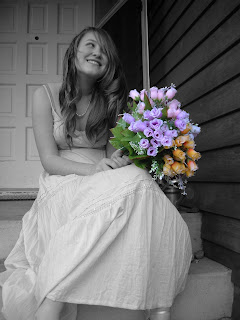
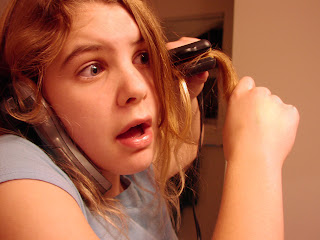
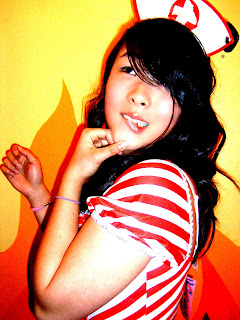
2. Talk to your subject. Use colors or lighting to create a concept for your portrait. Costumes or uniforms work great. Imaginary ideas are OK. Choose an interesting setting based on your concept.
3. Change angles between shots. Shoot at least 24 pictures of the SAME subject.
4. Use props if they will help the audience learn something about the subject.
5. Vary the lighting. Use filters, flashlights, lamps, or multiple lights to enhance your picture. Use the different lighting techniques that you will read about in class (see above).
6. Encourage different emotional looks. Pretend you are Austin Powers taking pictures. Tell your subject they are "groovy".
7. Having your subjects "pose" in action is just fine.
8. Most importantly for this assignment don't forget your compostion rules. Use framing, leading lines, rule of thirds, color contrast etc. to enhance your photo. Fill the frame.


Finishing Up the Grayscale Assignment
Today you will finish manipulating your grayscale pictures.
Here is what you will turn in to the classes folder period 6:
1. A folder filled with 18 pictures using the naming convention with "grayscale folder" as the assignment.
Of these 18 pictures you should have three each from the manipulation methods we have used in class. There are calculations, Ansel Adams, channel mixer, lightness channel, duotone, and black and white.
Note: please make sure you turn in a fairly equal amount of shadow pictures, both natural and man made, as well as regular brightness/contrast pictures.
2. You will also turn in your FAVORITE grayscale picture. Please use the naming convention and Grayscale print for the assignment.
Here is what you will turn in to the classes folder period 6:
1. A folder filled with 18 pictures using the naming convention with "grayscale folder" as the assignment.
Of these 18 pictures you should have three each from the manipulation methods we have used in class. There are calculations, Ansel Adams, channel mixer, lightness channel, duotone, and black and white.
Note: please make sure you turn in a fairly equal amount of shadow pictures, both natural and man made, as well as regular brightness/contrast pictures.
2. You will also turn in your FAVORITE grayscale picture. Please use the naming convention and Grayscale print for the assignment.
Wednesday, March 05, 2008
Choose Your Own Adventure Assignment For Animation
CHOOSE YOUR OWN ADVENTURE ASSIGNMENT:
For this project you will be creating an adventure of some sorts that pauses periodically and gives the viewer a choice in where the story goes, thus a "choose your own adventure" tale! Your movie must contain:
* 6+ adventures
* goto and play
* stop
* up, over, down, hit states
* no stick figures
*motion and shape tweens
* movie files
* three instances of sound
* published with naming convention quicktime file and a .html file in a folder
The Process
1. Brainstorm and Idea Session individual and then group
2. Sketches of characters
3. Treatment with story info is next. Answer all of these in complete sentences and place in my classes period 1 folder on the staff server.
5. We will go over how to create movie files.
6. Create the animation
7. We will go over how to add action scripts and buttons to your project. This will be the final piece we add.
For this project you will be creating an adventure of some sorts that pauses periodically and gives the viewer a choice in where the story goes, thus a "choose your own adventure" tale! Your movie must contain:
* 6+ adventures
* goto and play
* stop
* up, over, down, hit states
* no stick figures
*motion and shape tweens
* movie files
* three instances of sound
* published with naming convention quicktime file and a .html file in a folder
The Process
1. Brainstorm and Idea Session individual and then group
2. Sketches of characters
3. Treatment with story info is next. Answer all of these in complete sentences and place in my classes period 1 folder on the staff server.
- Who are the characters? Describe in detail.
- Where does the story take place. Describe the locations.
- What is the story from beginning to end?
- What are the options in the choose your own adventure?
- How will your animation be more interesting and better looking than your last project?
5. We will go over how to create movie files.
6. Create the animation
7. We will go over how to add action scripts and buttons to your project. This will be the final piece we add.
Friday, February 29, 2008
Export and Drop in Vidstore Server
To export your Quicktime movies do the following:
File>Export>Export Movie>Format Quicktime
Save it in the movies folder.
Name it using the naming convention.
After you export file as a full-quality Quicktime movie in the movies folder, adjust the permissions to
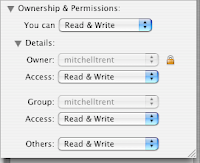
read and write (click apple-I to get info),
and then drop the video in the vidstore server.
go >
connect to server >
type vidstore.shorelineschools.org >
user name = scvideo
password = otis
root = SC Video classes
folder = period 1 or period 5
File>Export>Export Movie>Format Quicktime
Save it in the movies folder.
Name it using the naming convention.
After you export file as a full-quality Quicktime movie in the movies folder, adjust the permissions to

read and write (click apple-I to get info),
and then drop the video in the vidstore server.
go >
connect to server >
type vidstore.shorelineschools.org >
user name = scvideo
password = otis
root = SC Video classes
folder = period 1 or period 5
Thursday, February 28, 2008


Grayscale Picture Assignment
Homework this weekend:
24 GOOD pictures for your contact sheet. There should be 8 shadows that you create yourself, 8 shadows that are natural, and then 8 pictures with a brightness/contrast relationship.
You will turn in 24 pictures. You will probably shoot 100 pictures over the next three days.
On Tuesday during class and after school you will focus on different levels of color and patterns.
Wednesday, February 13, 2008
First Big Animation Assignment
For this assignment you will be making your first of many complete flash animations. This animation MUST tell a story (of your choosing) and needs to contain the following components:
* 8+ layers
* 60+ frames
* 15+ keyframes
* foreground, mid-ground, and background
* both shape and motion tweens
* an intro title
* a story that is obvious to the viewer, classroom appropriate and NON-VIOLENT (i.e. no weapons, fighting, blood, etc)!!!
Please answer the following questions about your first big animation project and put the answers in my classes folder in the proper period.
1. What is your story from beginning to end? Describe in three to four sentences.
2. Who or what are the main characters? What are the traits of these characters? Special powers? Sarcastic comments? Specific clothing?
3. How will you utilize the shape and motion tween techniques?
4. How will you make your intro title interesting? What is your title?
* 8+ layers
* 60+ frames
* 15+ keyframes
* foreground, mid-ground, and background
* both shape and motion tweens
* an intro title
* a story that is obvious to the viewer, classroom appropriate and NON-VIOLENT (i.e. no weapons, fighting, blood, etc)!!!
Please answer the following questions about your first big animation project and put the answers in my classes folder in the proper period.
1. What is your story from beginning to end? Describe in three to four sentences.
2. Who or what are the main characters? What are the traits of these characters? Special powers? Sarcastic comments? Specific clothing?
3. How will you utilize the shape and motion tween techniques?
4. How will you make your intro title interesting? What is your title?
Monday, February 11, 2008
First Photo Assignment
For your first part of your first photo assignment you will get three pictures for each of the categories below at Hamlin Park.
Don't forget to fill the frame and whenever possible please try to shoot something in the foreground,mid-ground, and background.
Selective Focus
Color Contrast
Rule of Thirds
Leading the Subject
Lighting Emphasizing something in the photo
Proper Horizon Line
Balance Mass
Leading Lines
Frame within a frame
For the next part of your first assignment I want you to shoot three different subjects from five very different angles each. Yes, that is a total of 15 pictures.
You need to return to class at 2:05 to import your pictures into iPhoto.
Your First Photo assignment as homework will be to take 24 landscape shots over the weekend of at least three locations. Try to take one set of pictures at sunrise, another set mid-day, and another set at sunset.
Don't forget to fill the frame and whenever possible please try to shoot something in the foreground,mid-ground, and background.
Selective Focus
Color Contrast
Rule of Thirds
Leading the Subject
Lighting Emphasizing something in the photo
Proper Horizon Line
Balance Mass
Leading Lines
Frame within a frame
For the next part of your first assignment I want you to shoot three different subjects from five very different angles each. Yes, that is a total of 15 pictures.
You need to return to class at 2:05 to import your pictures into iPhoto.
Your First Photo assignment as homework will be to take 24 landscape shots over the weekend of at least three locations. Try to take one set of pictures at sunrise, another set mid-day, and another set at sunset.
Tuesday, February 05, 2008
Digital Photo Day 2
Good afternoon,
First, bring cameras tomorrow! Thanks.
I'll be back tomorrow. For today I want you to do a web quest and turn your results into me on the staff sever in my classes period 6 folder. You may use your laptops with Word. Remember the reading yesterday? Good. Below is a list of composition elements. You need to search the internet looking for GOOD photo examples of these elements. Don't remember what each one means? Review yesterday's reading.
Here are the terms:
Selective Focus
Color Contrast
Rule of Thirds
Leading the Subject
Lighting Emphasizing something in the photo
Proper Horizon Line
Balance Mass
Leading Lines
Frame within a frame
Getty Images has plenty of good photos, but you may use any site you see fit. This is due today.
First, bring cameras tomorrow! Thanks.
I'll be back tomorrow. For today I want you to do a web quest and turn your results into me on the staff sever in my classes period 6 folder. You may use your laptops with Word. Remember the reading yesterday? Good. Below is a list of composition elements. You need to search the internet looking for GOOD photo examples of these elements. Don't remember what each one means? Review yesterday's reading.
Here are the terms:
Selective Focus
Color Contrast
Rule of Thirds
Leading the Subject
Lighting Emphasizing something in the photo
Proper Horizon Line
Balance Mass
Leading Lines
Frame within a frame
Getty Images has plenty of good photos, but you may use any site you see fit. This is due today.
Animation Day 2
Hi everyone, I will be back on Friday. Thanks for filling in the comments on the previous post. Here is what I want you to do today:
1. Spent 15 minutes looking in the comments section below for other flash videos to watch. In other words, spend 15 minutes watching videos your classmates recommended.
2. I want you to take out a blank piece of paper, divide it into four sections, grab a pencil or pen, and create four different cartoon characters that you would like to eventually animate. Spend the whole period drawing well-defined characters, but use as many basic shapes as possible (i.e. circles, squares, rectangles etc.) You may find yourself motivated by other characters you've seen in other videos, but please be as original as possible. Turn in your sketches at the end of the period.
See you Friday!
1. Spent 15 minutes looking in the comments section below for other flash videos to watch. In other words, spend 15 minutes watching videos your classmates recommended.
2. I want you to take out a blank piece of paper, divide it into four sections, grab a pencil or pen, and create four different cartoon characters that you would like to eventually animate. Spend the whole period drawing well-defined characters, but use as many basic shapes as possible (i.e. circles, squares, rectangles etc.) You may find yourself motivated by other characters you've seen in other videos, but please be as original as possible. Turn in your sketches at the end of the period.
See you Friday!
Monday, February 04, 2008
First Day In Animation
Hello! I am unable to attend school today due to illness, but I have what should be a fun assignment for you to work on while I am gone. Our first program we will learn in here is Flash CS3. This is an updated version of Flash that just came out.
I would like you to visit the following websites and watch a variety of flash animation. When you are done watching the animation (spend about 30-35 minutes or so on this) I would like you to tell me what your favorite flash movies were and why you liked them. Please list this information, along with the link to access the animation, in the comments section below. Don't forget to put your name at the beginning so I know you did your work.
http://www.homestarrunner.com/toons.html
http://www.albinoblacksheep.com/flash/
http://youtube.com/results?search_query=flash+animation+movies&search_type=&search=Search
Welcome to class! Don't forget to fill in the comment section with your favorite videos. Log in as anonymous and then write your name at the top of your comment.
Mr. Mitchell
I would like you to visit the following websites and watch a variety of flash animation. When you are done watching the animation (spend about 30-35 minutes or so on this) I would like you to tell me what your favorite flash movies were and why you liked them. Please list this information, along with the link to access the animation, in the comments section below. Don't forget to put your name at the beginning so I know you did your work.
http://www.homestarrunner.com/toons.html
http://www.albinoblacksheep.com/flash/
http://youtube.com/results?search_query=flash+animation+movies&search_type=&search=Search
Welcome to class! Don't forget to fill in the comment section with your favorite videos. Log in as anonymous and then write your name at the top of your comment.
Mr. Mitchell
First Day in Digital Photography Feb. 5
Camera suggestions:
If you have not bought a camera yet, please purchase one with at least 4 megapixels. This will ensure that the pictures you take can be blown up to print at at least 8.5 *11. If you can afford a camera with more megapixels, by all means get it. A camera with a high optical zoom is nice. Digital zoom doesn't mean much so don't be mislead by a high digital zoom (I'll explain more in class).
I know Canon cameras better than any other brand and I highly recommend them, but if you end up with a Nikon or Olympus etc. you should be fine.
You should be able to find a decent camera at Fry's or Best Buy for as little as $150-$175. Some really great cameras can be found in the $300-$400 range.
Please email me if you have questions.
Class work and homework
This is not a writing intensive course, but there is some reading the first couple weeks of class.
Please take notes on the bold faced words as you read from the links below and make sure you take the quizzes at the end of each section. We will be shooting the various composition elements next week, and we will also have a quiz on this material as well. You need to do this reading during class time (now.)
http://cybercollege.com/tvp012.htm
http://cybercollege.com/tvp023.htm
(start reading the above link at Strive for a Feeling of Unity)
http://cybercollege.com/tvp024.htm
(Look at further examples at bottom of page)
http://cybercollege.com/comp_ex.htm
http://cybercollege.com/tvp025.htm
http://cybercollege.com/comp_ex2.htm
If you have not bought a camera yet, please purchase one with at least 4 megapixels. This will ensure that the pictures you take can be blown up to print at at least 8.5 *11. If you can afford a camera with more megapixels, by all means get it. A camera with a high optical zoom is nice. Digital zoom doesn't mean much so don't be mislead by a high digital zoom (I'll explain more in class).
I know Canon cameras better than any other brand and I highly recommend them, but if you end up with a Nikon or Olympus etc. you should be fine.
You should be able to find a decent camera at Fry's or Best Buy for as little as $150-$175. Some really great cameras can be found in the $300-$400 range.
Please email me if you have questions.
Class work and homework
This is not a writing intensive course, but there is some reading the first couple weeks of class.
Please take notes on the bold faced words as you read from the links below and make sure you take the quizzes at the end of each section. We will be shooting the various composition elements next week, and we will also have a quiz on this material as well. You need to do this reading during class time (now.)
http://cybercollege.com/tvp012.htm
http://cybercollege.com/tvp023.htm
(start reading the above link at Strive for a Feeling of Unity)
http://cybercollege.com/tvp024.htm
(Look at further examples at bottom of page)
http://cybercollege.com/comp_ex.htm
http://cybercollege.com/tvp025.htm
http://cybercollege.com/comp_ex2.htm
Tuesday, January 29, 2008
Wed Jan 30
Today in class
1. Please have the students put their final projects beneath the white board next to John Wayne.
2. Please have the students select their BEST picture from the whole year and drop it into both Mr. Barkers Drop Box and my classes folder period 1. The naming convention should be 1_mitchellt_bestpicture.
3. Finally, the students need to create a folder in iPhoto and drag their 15 best post-Photoshop adjusted pictures in there.
4. They then to need to open iMovie and create a Final Slideshow. They need to drop music into the timeline and then use the Ken Burns effect to adjust their pictures in iMovie. Each picture should play for 6-8 seconds.

Next, students should drag pictures from the iPhoto folder (within iMovie) into the timeline.
Put the pictures in order and try to time them to the beat of the song.
Students need to add titles BEFORE transitions. Add titles add the beginning of the slideshow and for 10 of the pictures. The titles should reflect the project title.
Students then need to add short (1-3 second) transitions between clips.
Students should export file as a full-quality Quicktime movie, adjust the permission to
read and write (click apple-I to get info),
and then drop the video in the vidstore server.
go >
connect to server >
type vidstore.shorelineschools.org >
user name = scvideo
password = otis
root = SC Video classes
folder = period 1
Videos are due at 9:40.
Friday, January 18, 2008
Thursday, January 17, 2008
Group Quiz!
- selective focus
- macro
- Strive for a feeling of unity
- compose scenes around a single center of interest
- Lighting to emphasize a point or idea
- leading the subject
- the rule of thirds
- horizontal and vertical lines
- tonal balance
- balance mass
- abstract
- leading lines
- frame the central subject matter
- color contrast
- # of prime objects
Convey Meaning Through Colors and Tones
- movement
http://cybercollege.com/tvp023.htm
(start reading the above link at Strive for a Feeling of Unity)
http://cybercollege.com/tvp024.htm
(Look at further examples at bottom of page)
http://cybercollege.com/comp_ex.htm
http://cybercollege.com/tvp025.htm
http://cybercollege.com/comp_ex2.htm
Thursday, January 10, 2008
Tuesday, January 08, 2008
Monday, January 07, 2008
Photo Essay Treatment
Please answer the following questions in complete sentences.
1. What is your theme for your final project?Example: My theme project is Old America.
2. Why did you choose this as your theme? Be specific. 1-2 sentences
3. What type of locations will you choose to shoot your pictures? Why? Keep in mind that you will need to leave campus and most likely leave Shoreline.
4. What type of pictures do you hope to take? Action, portrait, landscape etc? A good photo essay will have a variety.
5. What kind of composition will you focus on in your pictures? You will need at least five composition elements (not counting rule-of-thirds). Yes, I want to know what you are attempting before you shoot.
5a. How will your pictures convey emotion?
6. Will you need class time to shoot? why or why not?
7. If you don't have a car, how will you make sure you get to your locations? Can your parents help? How about public transit?
8. This project should showcase everything you have learned in Digital Photography. How will you ensure this happens?
9. Is there anything you are unclear about in terms of composition or shot styles and angles etc. This is the time to ask.
10. What type of camera or Photoshop experimentation will you try?
Please copy these questions to your email. Answer these questions in detail and send the treatment to my email account. Please CC at least one of your parents or guardians on the email so they know they extent of this project. They may need to help with transportation.
Please write Photo and your period number in the subject.
1. What is your theme for your final project?Example: My theme project is Old America.
2. Why did you choose this as your theme? Be specific. 1-2 sentences
3. What type of locations will you choose to shoot your pictures? Why? Keep in mind that you will need to leave campus and most likely leave Shoreline.
4. What type of pictures do you hope to take? Action, portrait, landscape etc? A good photo essay will have a variety.
5. What kind of composition will you focus on in your pictures? You will need at least five composition elements (not counting rule-of-thirds). Yes, I want to know what you are attempting before you shoot.
5a. How will your pictures convey emotion?
6. Will you need class time to shoot? why or why not?
7. If you don't have a car, how will you make sure you get to your locations? Can your parents help? How about public transit?
8. This project should showcase everything you have learned in Digital Photography. How will you ensure this happens?
9. Is there anything you are unclear about in terms of composition or shot styles and angles etc. This is the time to ask.
10. What type of camera or Photoshop experimentation will you try?
Please copy these questions to your email. Answer these questions in detail and send the treatment to my email account. Please CC at least one of your parents or guardians on the email so they know they extent of this project. They may need to help with transportation.
Please write Photo and your period number in the subject.
Photo Essay Class Schedule
8/9: Students will answer treatment questions and email to Mr. Mitchell and parents.
10/11: All day shooting day.
14th: First 24 Picture contact sheet due. Manipulation work
15/16 All period shooting day.
17/18: 2nd contact sheet due. Manipulation work. Printing.
22/23: Last all period shooting day.
24/25: Final manipulation Day.Printing.
28th: Projects Due
10/11: All day shooting day.
14th: First 24 Picture contact sheet due. Manipulation work
15/16 All period shooting day.
17/18: 2nd contact sheet due. Manipulation work. Printing.
22/23: Last all period shooting day.
24/25: Final manipulation Day.Printing.
28th: Projects Due
Sunday, January 06, 2008
Photo Essay Assignment: Final Project
Photo Essay Assignment
Digital Photography
Mr. Mitchell
Assignment Requirements:
• First pick a general theme. For example, you might pick America, Democracy, or Responsibility. You will shoot photographs centered on this central theme. This may include camera experimentation like shutter speeds or photomerges.
• Use what you've learned about photographic composition, lighting, color, lines, texture and use your camera to make a statement. Each individual photo will be graded accordingly. (Review composition elements if necessary).
• Your photographs should make both a visual and emotional/political/critical/intellectual statement. Your photo essay should contain at least 9 photographs. Below each picture you will also describe the composition elements used on each photo, what you did to adjust the picture, and where you took the picture.
• Your photo essay should be something unique, new, and your own view of your selected theme.
A one-page reflection is also required. In this paper you need describe what you learned during your project. What did you learn about your subject, Photoshop, and photography in general. What was easy and difficult about your project? What would you do differently if you did it again? Finally, how far along do you think you have come as a photographer this semester?
• You can shoot B & W, Color, or both. It’s your artistic choice.
• You may digitally alter your photos as necessary in Photoshop.
• Your pictures should be printed out either 3*5 or 4*6, two to three pictures per page with the exception of one photo that will be printed at 8.5 *11.
• Projects should be turned in on poster board with written with the written reflection attached. Look at examples at the front of the room.
• You will also be dropping this assignment in my drop box so that we may view each project in front of the class.
Digital Photography
Mr. Mitchell
Assignment Requirements:
• First pick a general theme. For example, you might pick America, Democracy, or Responsibility. You will shoot photographs centered on this central theme. This may include camera experimentation like shutter speeds or photomerges.
• Use what you've learned about photographic composition, lighting, color, lines, texture and use your camera to make a statement. Each individual photo will be graded accordingly. (Review composition elements if necessary).
• Your photographs should make both a visual and emotional/political/critical/intellectual statement. Your photo essay should contain at least 9 photographs. Below each picture you will also describe the composition elements used on each photo, what you did to adjust the picture, and where you took the picture.
• Your photo essay should be something unique, new, and your own view of your selected theme.
A one-page reflection is also required. In this paper you need describe what you learned during your project. What did you learn about your subject, Photoshop, and photography in general. What was easy and difficult about your project? What would you do differently if you did it again? Finally, how far along do you think you have come as a photographer this semester?
• You can shoot B & W, Color, or both. It’s your artistic choice.
• You may digitally alter your photos as necessary in Photoshop.
• Your pictures should be printed out either 3*5 or 4*6, two to three pictures per page with the exception of one photo that will be printed at 8.5 *11.
• Projects should be turned in on poster board with written with the written reflection attached. Look at examples at the front of the room.
• You will also be dropping this assignment in my drop box so that we may view each project in front of the class.
Thursday, January 03, 2008
Digital Photo Plan Thursday and Friday in the new year
Time to work on your self-portraits!
Import your pics and start adjusting them as needed.
Suggestions:
Grayscale
Half color
Photo Filters
Brightness/Contrast
Cropping
Sharpening
Selective Focus
Color Emphasis
Touch ups using patch tool and clone stamp
Gaussian Blur touch up
Import your pics and start adjusting them as needed.
Suggestions:
Grayscale
Half color
Photo Filters
Brightness/Contrast
Cropping
Sharpening
Selective Focus
Color Emphasis
Touch ups using patch tool and clone stamp
Gaussian Blur touch up
Subscribe to:
Posts (Atom)